In early 2025, in the more technical corners of the internet, a phenomenon began to take shape. On LMArena, a platform where artificial intelligence models compete anonymously for users to evaluate their results, a nameless contender emerged that broke all the rules.1AI enthusiasts, accustomed to the quirks and limitations of image generators, encountered something different. This mysterious model not only created high-quality images, but did so with a consistency and ability to follow complex instructions that surpassed established giants.3
The news spread like wildfire. Reddit threads and Discord server discussions filled with speculation and astonishing examples.4On TikTok, tech content creators demonstrated how the model could change a person’s clothing, alter a background, or reinterpret a scene while maintaining the identity of the main subject—a feat that until then was considered the “holy grail” of AI editing.6This viral “fever” was fueled by mystery: no one knew for sure who was behind this powerful tool, although suspicions pointed to one place: Google.6
Amidst this excitement, the community needed a name. Someone noticed that the model responded particularly well to prompts that included the word “banana,” or that engineers sometimes left subtle clues with banana emojis. Thus, organically and collectively, the nickname that would define the phenomenon was born: “Nano Banana.”9This catchy name, born from the community itself, became a banner of discovery and shared excitement.
The rise of viral creative tools is not a new phenomenon. In previous years, apps like Prisma captivated the world by transforming photos into works of art with a single tap, although their popularity waned as the novelty wore off.10FaceApp later went viral for its ability to age faces, but its success was marred by a massive controversy over privacy and the use of biometric data.13However, the arrival of Nano Banana was different. It wasn’t a single filter or effect, but a deep editing tool with professional workflow potential. Its market entry strategy also marked a turning point.
Instead of a traditional corporate launch, complete with press releases and a grand presentation, Google opted for a digital “guerilla marketing” tactic. By releasing the model anonymously on a niche platform like LMArena, frequented by developers and enthusiasts, the company achieved something crucial: the model was judged solely on its merits.1The absence of the “Google” branding eliminated any initial skepticism, allowing the community to organically discover and validate its superiority. This approach generated a viral feedback loop: users, feeling part of an exclusive group that had discovered something revolutionary, fervently shared their findings.6The nickname “Nano Banana” became a free and authentic marketing asset. By the time Google officially confirmed its authorship, the product was already a resounding success, validated by the very community it was targeting.
Section 1: Behind the Nickname: What is Gemini 2.5 Flash Image Really?
The mystery surrounding “Nano Banana” was lifted when Google finally lifted the veil, revealing its official identity:Gemini 2.5 Flash Image.1Far from being a standalone product, it is a cutting-edge artificial intelligence model, deeply integrated into the Google Gemini multimodal ecosystem.18This model represents a significant update within the Gemini family, specifically designed for image generation and editing with unprecedented fidelity and control.
The Technical Heart: Native Multimodal Architecture

The real revolution in Gemini 2.5 Flash Image lies in its architecture. Unlike previous models that process text and images as two separate data types that must then be correlated, Gemini 2.5 Flash Image is “natively multimodal.”2This means it was trained from the ground up to understand text and images in a single, unified step. This architecture underpins its superior performance. It doesn’t just “see” an image and “read” text; it understands the deep semantic relationship between the two. When a user types “place a hat on the man’s head,” the model not only recognizes the pixels that make up a hat and a head, but also understands the spatial and contextual concept of “place over,” allowing it to make logical and consistent edits.
The “Nano” in the Name and Power of “Thinking”
The “Nano” prefix in the original nickname was no coincidence. Experts speculate that it alludes to Google’s strategy of developing models that are not only powerful but also extremely efficient.2Efficiency is key to reducing latency (the time it takes to get a result) and computational costs, opening the door to future applications that could run directly on devices like phones or laptops, rather than relying exclusively on cloud servers.
In addition to its efficiency, the Gemini 2.5 model family introduces an internal “thinking” capability (thinking).22Before generating a response, the model can perform an internal reasoning process, similar to step-by-step planning. This capability is critical to its ability to follow complex instructions and maintain logical consistency across multiple edits. If you ask it to add an object to a scene and then adjust the lighting, its “thinking” ability allows it to calculate how the change in lighting should affect the newly added object, including its shadows and reflections.
These fundamental architectural decisions directly dictate the user experience. Traditional image generators often operate as a “black box”: you input a prompt, and you get a result. Any significant refinement requires starting over. Gemini 2.5 Flash Image technology changes this paradigm. Its native multimodal understanding enables precise, in-place editing. The ability to change a single element of the image without altering the rest—such as changing the color of a shirt while preserving the fabric texture, the scene lighting, and the person’s identity—is a direct consequence of this architecture.5This transforms interaction with AI from a series of isolated commands to a creative and collaborative dialogue, a concept some have dubbed “flow editing.”24
Section 2: The Creative Arsenal: An In-depth Analysis of Your Capabilities
Gemini 2.5 Flash Image isn’t simply a tool for creating pretty images; it’s a complete arsenal of creative capabilities that address some of the most frustrating limitations of previous generations of AI. Its feature set redefines what creators can expect from an image editing tool.
Consistency as a Superpower
The most acclaimed and revolutionary feature of Nano Banana is its ability to maintain identity consistency.1Whether it’s a person, a pet, or a product, the model can preserve its appearance through multiple edits, scenery changes, or even style alterations.20This solves a fundamental problem for creators. Previously, creating a storyboard or advertising campaign with a recurring character was nearly impossible, as each new image presented slight but noticeable variations in the facial features or characteristics of the object.9With Gemini 2.5 Flash Image, it’s possible to take a photo of a person and place them in the 1960s, dress them up as an astronaut, or change their hairstyle, all while remaining recognizably the same person.20
Intuitive Conversational Editing (Multi-Turn Editing)
Based on its consistency, the model allows for conversational or “multi-turn” editing.18Users can refine an image through a series of follow-up instructions, and the AI remembers the context of previous requests.1A practical example would be to start with an image of an empty room. The user might ask, “Paint the walls blue.” Then, “Add a wooden bookshelf to the back wall.” And finally, “Place some books and a small plant on the shelf.” The model executes each step cumulatively, building the scene coherently without having to start from scratch for each instruction.20
Image Fusion and Style Transfer
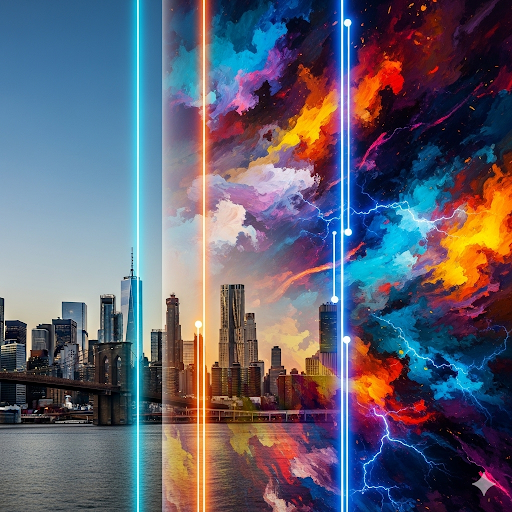
The model demonstrates an exceptional ability to merge multiple images into a single, believable composition.20For example, a user can upload a photo of themselves and another of their dog, and ask the AI to create a new image of the two of them together in a park.20AI not only blends subjects, but also harmonizes lighting, shadows, and perspective to make the resulting scene look like a real photograph. Similarly, style transfer allows you to apply the visual characteristics of one image to an object in another. You can take the texture and pattern of a flower’s petals and apply them to a pair of rain boots, or design a dress using the pattern of a butterfly’s wings.1
Contextual Edition with “Knowledge of the World”
Gemini 2.5 Flash Image leverages Gemini’s vast knowledge base to make edits that are logically correct and physically plausible.18Understand real-world concepts such as gravity, light, and reflections.24If you ask it to add a lamp to a room, it will not only place it on a suitable surface, but it will also cast light and shadows on surrounding objects realistically. This contextual understanding is what allows it to avoid common mistakes made by other AIs, such as unsupported floating objects or shadows pointing in the wrong direction.
Restoration and Creation from Scratch
Beyond editing, the model is a powerful creation and restoration tool. It can take old, damaged, or black and white photographs and restore them to full color and with stunning clarity.17Additionally, it has a remarkable ability to render clear, well-composed text within images, making it ideal for creating logos, posters, or infographics directly from a textual description.18
The combination of these capabilities suggests that Gemini 2.5 Flash Image operates at a deeper level than a simple image editor. It doesn’t simply manipulate pixels on a 2D plane; it behaves as if it were operating within a “visual world simulator.” When asked to add an object, its ability to generate correct shadows and reflections implies an internal understanding of the scene’s geometry and the location of light sources.5His ability to maintain the appearance of a character from different angles suggests that he has created an internal representation of the subject that is more three-dimensional than a simple flat image.1This idea is reinforced by the experiments of architects who are already using the tool to generate conceptual 3D models from 2D photographs.31This represents a fundamental shift: users are no longer simply “typing a prompt for an image,” but are instead “directing a virtual photographer within a simulated environment,” with profound implications for fields such as product design, architecture, and film previsualization.
Don’t just create any brand; make one that inspires Download it now
Section 3: Practical Guide: How to Master Nano Banana with Effective Prompts
The key to unlocking the full potential of Gemini 2.5 Flash Image lies in a shift in mindset when writing prompts. Its advanced natural language understanding rewards description and narrative over simple keyword lists.
The Paradigm Shift: From Keywords to Narratives
The fundamental principle for interacting with this model is:describe a scene, do not list objects.18Instead of a prompt like “cat, couch, window, daytime,” a much more effective approach would be: “A photograph of a long-haired orange cat sleeping peacefully on a blue velvet couch. Morning sunlight softly streams through a window to the left, illuminating the dust in the air.” This second prompt, by providing context, atmosphere, and narrative details, gives the model the information it needs to generate a coherent, rich, and visually compelling image.
Fundamental Prompting Techniques
To master image creation and editing, it is helpful to adopt several specific techniques that leverage the model’s strengths.
Think Like a Photographer
To achieve photorealistic results, it’s crucial to use a photographic language. Specifying technical details guides the model toward a professional aesthetic. Key elements to include are:
- Type of plane and angle:“Close-up portrait”, “low angle wide shot”, “top down view”.21
- Lens and aperture:“Captured with an 85mm portrait lens,” resulting in a soft, blurred background (bokeh).”33
- Lightning:“Illuminated by the soft golden light of sunset,” “three-point studio lighting to eliminate harsh shadows.”21
- Atmosphere and mood:“Creating a serene and masterful atmosphere,” “a melancholic and rainy atmosphere.”33
Controlling Style
To create illustrations or graphic assets with a particular style, specificity is equally important. The desired visual characteristics should be described:
- Artistic style:“A kawaii-style sticker,” “a modern and minimalist logo,” “a 90s-style comic book illustration.”21
- Design Features:“With clean, bold outlines,” “cel-shading,” “a vibrant color palette.”21
- Background:It’s important to be explicit if a specific background is needed, such as “the background must be white” or “a transparent background.”34
Iterative Editing
Conversational editing is one of its greatest strengths. Instead of trying to create the perfect prompt from scratch, it’s more effective to build the image step by step. After an initial generation, follow-up prompts can be used to refine the result:
- Example of refinement:After generating an image, a follow-up prompt might be: “That’s a good start. Now, make the lighting more dramatic and add fog to the ground.”35
- Correction example:“Remove the person walking in the background on the right and make the sky cloudier.”26
Table 1: Prompt Templates for Professional Use Cases
To facilitate the practical application of these techniques, the following table offers structured templates for various professional use cases. These templates are designed to be copied and adapted, providing a solid starting point for achieving high-quality, business-relevant results. This resource transforms theoretical knowledge into a practical tool, directly addressing the needs of marketers, designers, and entrepreneurs.
| Professional Use Case | Prompt Template | Concrete Example | References |
| Product Photography (E-commerce) | A high-resolution, studio-lit product photograph of [Product] in [Color/Material], presented on a surface. The lighting is a setup to create soft highlights and eliminate harsh shadows. The camera angle is a. Ultra-realistic, with sharp focus on. | A high-resolution, studio-lit product photograph of a minimalist matte black ceramic coffee mug, displayed on a polished concrete surface. The lighting is a three-point softbox setup. The camera angle is a slightly elevated 45-degree angle. Ultra-realistic, with sharp focus on the steam rising from the coffee. | 9 |
| Content Marketing (Social Media) | A photorealistic image of [Action] being performed in [Environment]. The scene is lit by [Mood], creating a [Mood] atmosphere. Captured with a [Portrait/Horizontal] lens, emphasizing [Platform]. | A photorealistic image of a young woman smiling while using a laptop in a bright, modern cafe. The scene is illuminated by natural light streaming through a large window, creating a productive and positive atmosphere. Captured with a 50mm lens, with a softly blurred background. Portrait orientation for Instagram Stories. | 1 |
| Interior Design (Visualization) | ** 1. “Paint the walls [Color]”. 2. “Add a [Style] [Furniture] at [Location]”. 3. “Place one on top”. 4. “Change the lighting to make it look like”. | ** 1. “Paint the walls a warm taupe.” 2. “Add a cognac leather sectional sofa against the back wall.” 3. “Place a large monstera plant in a white ceramic pot in the corner by the window.” 4. “Change the lighting to make it look like sunset, with warm light streaming in through the window.” | 26 |
| Fashion (Virtual Try-On) | ** “Dress the person in the first image with [Clothing] from the second image. Remove their current clothing and make sure the fit and wrinkles of the new garment look natural. Place it against a background of.” | ** “Dress the woman in the first image with the black leather jacket from the second image. Remove her current t-shirt and make sure the jacket fits her body realistically. Place her against a nighttime urban street background.” | 26 |
Section 4: The Nano Banana Ecosystem: Access, Pricing, and Platforms
Google hasn’t launched Gemini 2.5 Flash Image as a standalone tool, but rather as a centerpiece of an expanding creative ecosystem. The access strategy is multifaceted, designed to appeal to a broad spectrum of users, from the casually curious to the enterprise developer, thereby democratizing access to advanced creativity.
Access Paths to the Tool
- For the General User:The easiest way to access the tool is through the free Gemini app, available in both web and mobile versions.18Users only need a Google account to start generating and editing images. This free access has a daily usage limit, a measure to prevent service saturation and encourage widespread adoption.36
- For Developers and Professionals:Google AI Studio is presented as the ideal environment for experimentation and prototyping.17On this platform, developers can test prompts, adjust parameters, and explore the model’s full potential before writing a single line of code. For deeper integration, the model is available through the Gemini API, allowing companies to incorporate its capabilities directly into their own applications and workflows.17
- Innovative Integrations:In a move that demonstrates a novel approach to accessibility, Google has enabled the tool’s use directly on third-party platforms like X (formerly Twitter). Users can simply tag Nano Banana’s official profile in a post with their prompt to receive a generated image in response, removing almost all barriers to entry.28
The Business Model: Strategic Freemium
Google’s business model for Gemini 2.5 Flash Image is a clear example of a “freemium” strategy. Casual use within the Gemini application is free, allowing millions of users to become familiar with the technology and discover its value.18Monetization comes with professional and high-volume usage through the API. Pricing is based on the consumption of “tokens” (the units in which the AI processes information), which translates to an approximate cost of
$0.039 for each image generated or edited.17This competitive pricing makes it an attractive option for startups and enterprises looking to scale their visual content operations without incurring the high costs of traditional production.
This access and pricing strategy reveals a much larger ambition than simply launching a new product. Google is building what could be considered an “operating system” for AI-powered creativity. This isn’t an app that competes with others, but an integrated platform that creates a powerful network effect. The user journey is carefully designed: an individual can start experimenting for free on the Gemini app. If their interest grows, they can move on to Google AI Studio to create more complex prototypes. Finally, if a company sees commercial potential, they can use the API to integrate the technology into their core business, such as an e-commerce site that offers virtual try-ons for clothes. This multi-tiered approach captures the entire value chain, from casual creation to enterprise integration, making the Google ecosystem incredibly sticky and difficult to leave. It’s a strategic move to position Gemini as the foundational layer upon which the next generation of creative apps will be built, directly challenging the dominance of established ecosystems like Adobe Creative Cloud.
Section 5: The New Creative Battlefield: Nano Banana vs. Photoshop and Other AI
The emergence of Gemini 2.5 Flash Image has shaken up the digital creative tools landscape, posing a direct challenge to both established giants and their competitors in the emerging field of generative AI.
The Challenge to Adobe and the Traditional Workflow
For decades, Adobe Photoshop has been the undisputed standard for professional image editing. Its layer-based approach, masking, and precision tools offer almost unlimited control, but requires a steep learning curve and a considerable investment of time.9Nano Banana directly attacks this paradigm. Its competitive advantages lie not in doing something a Photoshop expert can’t accomplish, but in doing it in a fraction of the time and with a fraction of the technical skill required.1
The real battlefield is not in the characteristics, but in theworkflowA process that in Photoshop could take 30 minutes of careful selection, masking, compositing, and color adjustment (such as cropping a person, placing them on a new background, and matching the lighting) can be accomplished in seconds with a single conversational prompt in Nano Banana.37This transformation not only accelerates the process, but democratizes it. A marketing manager with no design training can now create complex campaign images, a task that previously required the intervention of a specialized graphic designer. Aware of this threat, Adobe is responding by integrating its own generative AI models, such as Firefly, into its product suite, signaling that the race to define the future of creative publishing has only just begun.18
The War of the Generative AI
In the AI field, Google’s main rival is OpenAI. A comparison between Gemini 2.5 Flash Image and OpenAI’s image generation models (accessible through products like ChatGPT) reveals a de facto specialization in the market.24
- Nano Banana Strengths:Its main advantages are contextual editing, character consistency, and understanding of real-world physics. It’s the ideal tool for projects requiring realism, consistency, and precision, such as advertising, product design, and portraiture.24
- OpenAI Strengths:His models often excel in pure creativity, generating surreal, artistic, and conceptually original compositions. However, they can be inconsistent in their realistic depiction of human faces and spatial logic, making them more suited to artistic exploration than to professional work demanding precision.24
Lessons from the Viral Past
The history of viral creative apps offers important lessons. Prisma relied on the novelty of its artistic filters, but its use declined once the effect ceased to be surprising.11FaceApp generated massive viral success, but also a backlash over privacy issues that damaged its reputation.13Nano Banana seems to have learned from both cases. Unlike these applications, which were essentially single-function “toys,” Gemini 2.5 Flash Image is a multifunctional “tool” designed to be integrated into professional workflows. Its usefulness goes beyond novelty, giving it much greater staying power and disruption potential. It represents an existential threat not only to Adobe’s software, but also to the division of labor in the creative industries, by commoditizing technical editing skills and elevating the importance of creative direction and prompt engineering.
Section 6: The Future of the Image: Impact, Ethics and Challenges
The arrival of tools as powerful as Gemini 2.5 Flash Image opens up a horizon of creative possibilities, but also poses serious ethical and social challenges. The ability to manipulate visual reality with such ease is a double-edged sword that demands deep reflection on its impact.
The Double Edge of Synthetic Reality
The same technology that allows you to lovingly restore an old family photo can be used to createdeepfakesultra-realistic with malicious purposes, such as political disinformation, fraud or harassment.18This concern echoes the fears that arose during the FaceApp controversy, where millions of users handed over their biometric data without fully understanding the privacy implications and potential for misuse by third parties or even state actors.13The ability to alter images of public figures without restriction is an inherent risk that society must address.18
Google’s Safeguards: The Bet on SynthID
Aware of these risks, Google has proactively implemented security measures. All images created or edited with the model include not only a visible watermark, but also an invisible digital watermark calledSynthID.18According to Google, SynthID is designed to be robust and persistent, even after modifications such as cropping, compression, or filtering, allowing it to reliably identify content as AI-generated.19
This heavy bet on watermarking technology is more than just a technical feature; it’s a strategic and public relations move. As governments around the world show growing concern about the threat of AI-generated misinformation, Google is positioning itself as a “responsible innovator.” By offering a technical solution to the problem of image provenance, the company is attempting to self-regulate before external, potentially more restrictive, regulations are imposed. SynthID is, therefore, a policy tool designed to build a “moat of trust” around its generative products, hoping to avoid the regulatory and public opinion pitfalls that could slow the growth of this transformative and lucrative technology.
Current Limitations and Future Vision
Despite its advances, the model is not perfect. Users have pointed out some current limitations. Sometimes, the generated faces can appear “plasticky” or contain microartifacts that reveal their artificial origin.18The model may also struggle with some complex style transfers and lacks basic editing features such as cropping.3
These are most likely temporary limitations. The future of Gemini 2.5 Flash Image points toward even deeper integration with Google’s other AI tools. Combining its image editing capabilities with video generation models (like Veo) and text generation models (Gemini itself) could result in a comprehensive multimodal creative suite.19This would allow creators to seamlessly transition from a textual idea to a visual storyboard, and from there to an animated video scene, all within a single conversational ecosystem. The real challenge, as many analysts conclude, lies not only in what the tool allows, but in how society chooses to use it.19
Conclusion
The emergence of “Nano Banana,” now known as Gemini 2.5 Flash Image, marks a turning point in the history of digital content creation. Its launch, orchestrated through a brilliant viral marketing strategy that fostered organic discovery, generated a buzz and community validation that traditional campaigns rarely achieve. However, its true impact goes beyond marketing.
Technologically, its native multimodal architecture and “thinking” capabilities have solved fundamental problems of consistency and control that plagued previous generations of image AI. This has transformed user interaction from a static command model to a conversational and collaborative workflow. The result is an unprecedented democratization of highly complex image editing, putting tools previously reserved for professionals with years of experience in software like Photoshop into the hands of non-specialists.
Strategically, Gemini 2.5 Flash Image is not just a product, but the spearhead of Google’s ambition to build a comprehensive creative ecosystem. By offering multiple access points (from a free app to an enterprise API) and a freemium business model, Google is positioning Gemini as the underlying “operating system” for the next era of digital creativity, directly challenging Adobe’s dominance.
However, with this power comes immense responsibility. The risks of misinformation and malicious use are real and significant. The proactive implementation of safeguards like SynthID demonstrates that Google is aware of these dangers and seeks to lead the conversation on AI ethics and governance.
Ultimately, Nano Banana is more than just a fun nickname for an impressive technology. It’s the herald of a paradigm shift in which the ability to direct creativity through language becomes as valuable, if not more so, than manual technical skill. For creators, marketers, and professionals, the message is clear: the era of conversational image editing has begun, and mastering the art of the prompt is the new essential skill in the creative arsenal.
Take the Art of the Prompt to Your Social Media
The era of conversational image editing has begun, but a perfect image is useless if it doesn’t reach the right audience.
GGyess gives you the power of automation to:
- Schedule your AI-generated creations across all your platforms (Instagram, TikTok, Facebook…) in bulk.
- Analyze their performance to know which prompts and styles are working best.
- Manage your entire digital brand from a single, smart platform.
Don’t just create amazing content; master its distribution and maximize your impact.
Start Driving Your Content Strategy with GGyess Today.
I Want to Start Automating My Content Now!
Sources cited
- Google Nano Banana Overview | ImagineArt, accessed September 8, 2025https://www.imagine.art/blogs/google-nano-banana-overview
- Google AI Nano Banana for Architecture Renderings and Images – ArchiLabs, acceso: septiembre 8, 2025, https://archilabs.ai/posts/google-ai-nano-banana-for-architecture
- Gemini 2.5 Flash Image Preview releases with a huge lead on image editing on LMArena : r/singularity – Reddit, acceso: septiembre 8, 2025, https://www.reddit.com/r/singularity/comments/1n0n3mb/gemini_25_flash_image_preview_releases_with_a/
- [Meme] One word makes all the difference : r/Re_Zero – Reddit, acceso: septiembre 8, 2025, https://www.reddit.com/r/Re_Zero/comments/15pdsqq/meme_one_word_makes_all_the_difference/
- Nano Banana is the first image generator that can maintain image consistency with real-life photos. : r/Bard – Reddit, accessed September 8, 2025,https://www.reddit.com/r/Bard/comments/1mva2wr/nano_banana_is_the_first_image_generator_that_can/?tl=es-es
- Discover the Mystery of Nano Banana and How to Use It | TikTok, accessed September 8, 2025https://www.tiktok.com/@digitaliatools/video/7542677839997455672
- Discover Nano-Banana: AI Innovation for Images – TikTok, accessed: September 8, 2025,https://www.tiktok.com/@sixminds_learning/video/7542263457538706710
- Google Unveils Nano Banana: The Photoshop Alternative | TikTok, acceso: septiembre 8, 2025, https://www.tiktok.com/@brandulox/video/7543337551101398328
- What is Google Nano Banana? Google’s Secret AI for Images | by Mehul Gupta – Medium, acceso: septiembre 8, 2025, https://medium.com/data-science-in-your-pocket/what-is-google-nano-banana-googles-secret-ai-for-images-2958f9ab11e3
- Compare Canva vs. Prisma in 2025 – Slashdot, accessed September 8, 2025,https://slashdot.org/software/comparison/Canva-vs-Prisma-App/
- What’s so special about Prisma App? – Quora, acceso: septiembre 8, 2025, https://www.quora.com/Whats-so-special-about-Prisma-App
- Mobile App Success Story: How Prisma Did It August 2025 (Updated) | AppSamurai, acceso: septiembre 8, 2025, https://appsamurai.com/blog/mobile-app-success-story-how-prisma-did-it/
- The Fun App Trap – ArentFox Schiff, accessed: September 8, 2025,https://www.afslaw.com/perspectives/alerts/the-fun-app-trap
- 3 Critical Takeaways from the FaceApp Privacy Controversy – Auth0, acceso: septiembre 8, 2025, https://auth0.com/blog/3-critical-takeaways-from-the-faceapp-privacy-controversy/
- Should you be afraid of apps like FaceApp? – The Ethics Centre, acceso: septiembre 8, 2025, https://ethics.org.au/should-we-be-afraid-of-apps-like-faceapp/
- 7 Creative Uses of Gemini 2.5 Flash Image (Nano Banana) – CometAPI: All AI Models in One API, Accessed September 8, 2025https://www.cometapi.com/es/7-creative-uses-of-gemini-2-5-flash-image-nano-banana/
- How to build with Nano Banana: Complete Developer Tutorial – DEV …, acceso: septiembre 8, 2025, https://dev.to/googleai/how-to-build-with-nano-banana-complete-developer-tutorial-646
- Nano Banana: Google’s free AI for creating images – ITSitio, accessed: September 8, 2025,https://www.itsitio.com/inteligencia-artificial/gratis-facil-y-creativo-asi-funciona-nano-banana-la-apuesta-de-google-en-generacion-de-imagenes/
- Nano Banana: What is it and how to use the new AI photo editor…, accessed: September 8, 2025,https://www.eltiempo.com/tecnosfera/nano-banana-que-es-y-como-utilizar-el-nuevo-editor-ia-para-fotos-en-google-3487171
- Nano Banana: Image editing in Google Gemini gets a major upgrade, acceso: septiembre 8, 2025, https://blog.google/products/gemini/updated-image-editing-model/
- How to prompt Gemini 2.5 Flash Image Generation for the best results, acceso: septiembre 8, 2025, https://developers.googleblog.com/en/how-to-prompt-gemini-2-5-flash-image-generation-for-the-best-results/
- Gemini thinking | Gemini API – Google AI for Developers, acceso: septiembre 8, 2025, https://ai.google.dev/gemini-api/docs/thinking
- Gemini 2.5 Flash – Google DeepMind, access: September 8, 2025,https://deepmind.google/models/gemini/flash/
- Google Nano Banana vs OpenAI ChatGPT 5, which is the best AI…, accessed: September 8, 2025,https://cincodias.elpais.com/smartlife/lifestyle/2025-09-02/google-nano-banana-vs-openai-chatgpt-5.html
- Gemini 2.5 Flash Image (Nano Banana) | Google AI Studio, accessed September 8, 2025https://aistudio.google.com/?model=gemini-2.5-flash-image-preview
- Nano Banana Tutorial: How to Use Google’s AI Image Editing Model in 2025, acceso: septiembre 8, 2025, https://www.anangsha.me/nano-banana-tutorial-how-to-use-googles-ai-image-editing-model-in-2025/
- Five tricks for using Nano Banana, Google’s AI that…, accessed: September 8, 2025,https://www.infobae.com/tecno/2025/09/01/cinco-trucos-para-usar-nano-banana-la-ia-de-google-que-la-rompio-para-crear-y-editar-imagenes-gratis/
- Google’s Nano Banana available on X: Here’s how to use, acceso: septiembre 8, 2025, https://m.economictimes.com/tech/artificial-intelligence/googles-nano-banana-arrives-on-x-heres-how-to-use/articleshow/123736064.cms
- Introducing Gemini 2.5 Flash Image, our state-of-the-art image model, acceso: septiembre 8, 2025, https://developers.googleblog.com/en/introducing-gemini-2-5-flash-image/
- Gemini 2.5 Flash Image (Nano Banana): A Complete Guide With Practical Examples, acceso: septiembre 8, 2025, https://www.datacamp.com/tutorial/gemini-2-5-flash-image-guide
- Nano banana AI for Architecture and 3D- Full beginners Guide – YouTube, acceso: septiembre 8, 2025, https://www.youtube.com/watch?v=mS4L8EaAoL4
- I Tried Nano Banana AI: Free 3D Building from Just a Photo! – YouTube, acceso: septiembre 8, 2025, https://www.youtube.com/watch?v=Ur1TamXxJqw
- Official Nano-Banana Prompting Guide with Test Case Comparisons | by 302.AI – Medium, acceso: septiembre 8, 2025, https://medium.com/@302.AI/official-nano-banana-prompting-guide-with-test-case-comparisons-93d15d27de4d
- Image generation with Gemini (aka Nano Banana) | Gemini API | Google AI for Developers, acceso: septiembre 8, 2025, https://ai.google.dev/gemini-api/docs/image-generation
- Ultimate Guide to Nano Banana & Prompt Ideas for AI Photo Edits – CyberLink, acceso: septiembre 8, 2025, https://www.cyberlink.com/blog/trending-topics/4196/nano-banana
- What is Nano Banana, Google’s new AI that generates…, accessed: September 8, 2025,https://es-us.noticias.yahoo.com/nano-banana-ia-google-genera-161924620.html
- Best prompts for flash native imagegen : r/Bard – Reddit, acceso: septiembre 8, 2025, https://www.reddit.com/r/Bard/comments/1jb8inx/best_prompts_for_flash_native_imagegen/
- FaceApp, deepfakes, and why we should be worried – Future Advocacy, acceso: septiembre 8, 2025, https://futureadvocacy.com/faceapp-deepfakes-why-we-should-be-worried/
- AI in Hollywood: Weekly News, May 22, 2025 – A.I. in Screen Trade, acceso: septiembre 8, 2025, https://aiinscreentrade.com/2025/05/22/ai-in-hollywood-weekly-news-may-22-2025/
- Google’s new Flow tool brings AI magic to video creation | Digital Trends, acceso: septiembre 8, 2025, https://www.digitaltrends.com/computing/google-i-o-flow-ai-powered-video-tool/