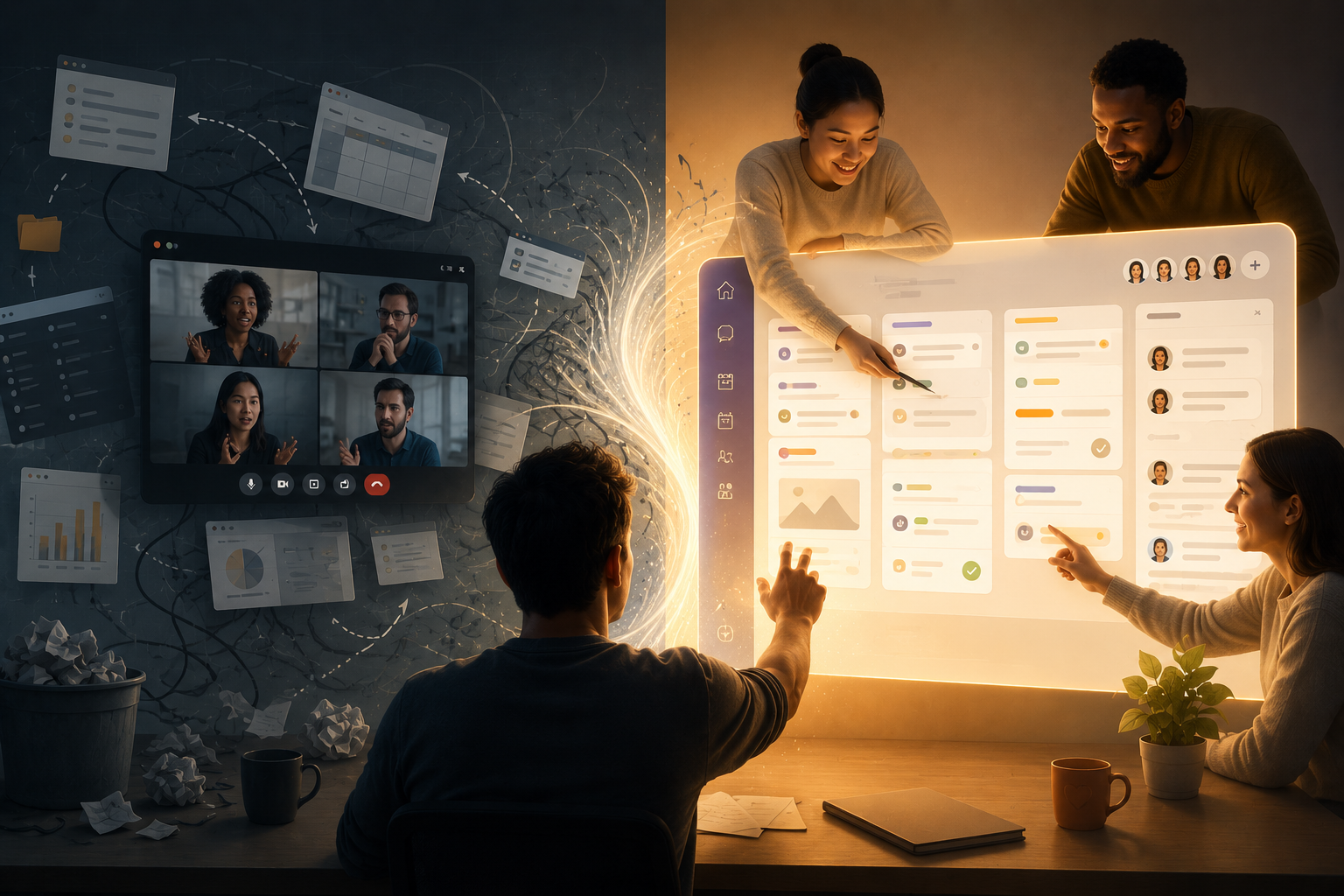
In the modern digital workplace, a silent productivity killer is devastating high-growth teams and creative professionals alike. It doesn’t look like a traditional distraction. It isn’t a loud notification, a scrolling addiction, or a micromanaging boss. It is a structural flaw in the very way we have designed our digital work environments.
We call it “Meeting Amnesia.”
You know the feeling. You just wrapped up a highly energetic, deeply strategic, 45-minute video call. Brilliant ideas were exchanged, complex problems were unknotted, and clear action items were agreed upon. You wave goodbye, click the red “Leave Meeting” button, and your screen snaps back to your desktop.
Then, a cognitive gap opens up.
You open a separate browser tab to find your project management tool. You wait for it to load. You try to locate the specific board or task card associated with the project. By the time you navigate the visual hierarchy of this entirely different application, the nuanced context of the conversation is evaporating. The brilliant strategic pivot you discussed is reduced to a sterile, one-line checklist item: Update the marketing copy. The “why” and the “how” have vanished.
This disconnect is not a failure of your memory or your team’s competence. It is a fundamental failure of software design and organizational pedagogy. When the space where you discuss the work is physically and digitally separated from the space where you execute the work, friction is inevitable.
It is time to rethink the architecture of our daily operations. It is time to bring the conversation back to the canvas.
The Cognitive Architecture of Context
To understand why fragmented software stacks are so damaging, we must look at how the human brain processes and retains information. In educational theory, there is a concept known as “situated learning.” It argues that knowledge is inextricably linked to the context, culture, and physical (or digital) environment in which it was acquired. If you learn something in one environment, recalling it in a completely disconnected environment requires a massive expenditure of cognitive energy.
When we force teams to use one application to schedule appointments, another application to host video meetings, and a third application to track tasks, we are actively working against the brain’s natural desire for spatial and contextual memory.
Every time a team member jumps from a communication app to a task board, they experience what designers call “context switching.” This micro-transition may only take a few seconds, but the cognitive load is immense. The brain must discard the visual and spatial rules of the video app and load the UI rules of the task manager.
Over the course of a day, these constant switches act like a tax on your team’s mental bandwidth. By 3:00 PM, creative fatigue sets in, not because the work is too hard, but because the interface is too fragmented.
The Flaw of the Fragmented Tech Stack
For years, the tech industry has sold us on the idea of highly specialized tools. We were told we needed the best-in-class video software, the best-in-class calendar app, and the best-in-class to-do list. The result? A digital Frankenstein.
Consider the typical lifecycle of a client project or an internal sprint:
- The Scheduling Dance: A client or stakeholder wants to discuss a project. You send them a link from a standalone scheduling app.
- The Link Hunt: The day of the meeting arrives. Both parties spend two minutes digging through email threads or calendar invites to find the external video conference link.
- The Disconnected Discussion: The meeting happens in a vacuum. You are looking at faces, but you are not looking at the work. If you share a screen, you are passively broadcasting, not actively collaborating.
- The Administrative Aftermath: The meeting ends. Someone is tasked with manually translating the spoken agreements into project cards, assigning roles, and setting due dates in a separate system.
This process is littered with “ghost work”—the invisible, administrative labor required simply to coordinate the actual work. Ghost work drains profitability, frustrates creative minds, and introduces countless opportunities for human error. If a deadline is discussed on a call but never transferred to the project board, it essentially doesn’t exist.
Designing a Unified WorkHub: The Power of Scaffolding
The solution is not to buy more tools, but to consolidate them through intelligent design. The future of high-performance work relies on creating a unified digital ecosystem—a centralized WorkHub where communication and execution are two sides of the same coin.
In pedagogical design, “scaffolding” refers to the supportive structures provided to a learner to help them achieve a goal they could not reach independently. In digital workspace design, scaffolding means building an interface that intuitively guides a team from concept to completion without dropping the thread.
When a workspace is properly scaffolded, the tools adapt to the workflow, rather than forcing the user to adapt to the tools.
1. Integrated Video Calls: Contextual Collaboration
Imagine a workflow where video chats are triggered directly from within the project board. There are no external links to hunt down. You open the specific task or campaign you are working on, click a button, and immediately enter a video session with your team.
Because the video chat lives inside the task, the context is permanent. You are discussing the visual assets, the code, or the copy while simultaneously viewing the exact files and sub-tasks associated with them. When a decision is made, you don’t need to switch apps to log it; you simply type it into the task card right in front of you. The gap between decision and documentation shrinks to zero.
2. Frictionless Appointments: From Booking to Building
Scheduling should not exist in a silo. A truly integrated workspace pulls the concept of appointments directly into the operational hub.
When a client or team member books a time on your calendar, it shouldn’t just trigger an email notification. It should automatically create a contextual anchor within your workspace. Appointments become actionable items. By having your calendar natively embedded next to your project boards, you gain a holistic view of your true capacity. You no longer over-commit to tasks because your schedule is hidden in another tab. The visual design of your day is entirely transparent.
3. Proactive Reminders: Eliminating Notification Anxiety
In fragmented systems, notifications are a source of deep anxiety. We are bombarded by pings from chat apps, emails from clients, and overdue alerts from task managers. Because these alerts come from different sources, they lack a unified hierarchy of importance.
A consolidated WorkHub redefines this experience through smart, automated reminders. Instead of a chaotic feed of notifications, the system provides contextual nudges. You receive alerts exactly when you need them, related specifically to the task at hand. By setting proactive reminders within the exact environment where the work is completed, the cognitive load is drastically reduced. The system remembers the deadlines, freeing your brain to focus purely on creative problem-solving.
4. Centralized Knowledge: The End of “Where is that file?”
Ultimately, a unified workspace acts as a single source of truth. When the video calls, the meeting notes, the task assignments, and the attached files all live in the exact same digital location, you eradicate silos. Onboarding new team members becomes effortless; you simply grant them access to the specific WorkHub board, and the entire history of the project—every decision, every file, every deadline—is laid out in a clear, logical, and visual progression.
Elevating the Human Experience Through Software
At its core, the push toward a unified, context-rich digital environment is about respecting the human minds doing the work. We are not machines designed to process disparate data streams across a dozen different interfaces. We are spatial thinkers, contextual learners, and visual creators.
When we eliminate the friction of the fragmented tech stack, we do more than just save time. We reclaim our creative bandwidth. We foster deeper, more meaningful collaboration. We replace the stress of administrative ghost work with the satisfaction of uninterrupted flow.
We stop managing software and start executing visions.
The end of Meeting Amnesia is not just a technological upgrade; it is an operational renaissance. It is the realization that the best way to get work done is to put the conversation and the canvas in the exact same room.
To build a culture of absolute clarity, you need an ecosystem designed for how the modern mind actually works. You need a platform that eliminates the noise, centralizes your projects, and seamlessly integrates your appointments, automated reminders, and video calls directly into your operational flow. This is the philosophy behind the newly evolved GGyess. Designed as an ultimate, all-in-one productivity engine, GGyess consolidates your entire digital operation into a single, intuitive WorkHub. It’s time to stop jumping between apps and start experiencing true, frictionless productivity.