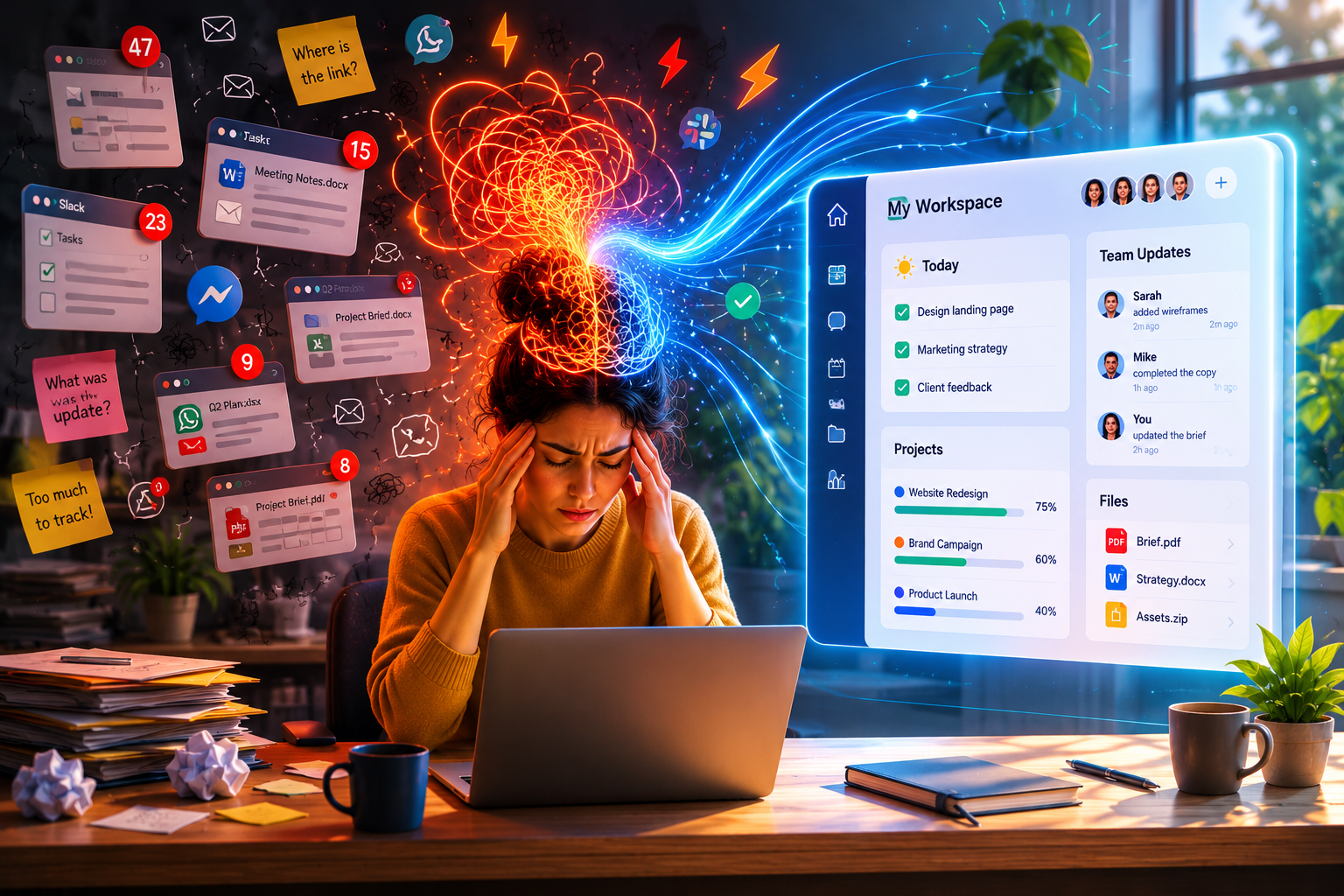
The modern remote workplace is facing an invisible crisis. It does not manifest as empty desks or quiet offices; instead, it cloaks itself in an exhausting digital clutter. Founders, team leads, and creative professionals find themselves constantly battling a phenomenon that quietly drains their team’s mental energy long before the actual heavy lifting of a project even begins.
This silent operational drain is known as cognitive load.
Every time a team member opens a digital workspace, their brain is forced to process the visual design, organization, and structural layout of that interface. If a workspace is cluttered, fragmented, or rigid, it demands a massive expenditure of mental bandwidth just to figure out where things are and what to do next. When your software infrastructure is poorly designed, your team experiences a form of systemic fatigue. They are not burning out because the tasks are too difficult; they are burning out because the tools they use to manage those tasks are visually and structurally exhausting.
To build a sustainable, fast-moving remote organization, leaders must look beyond basic task tracking and focus on the psychological impact of their workspace design. By understanding how the human brain processes visual data, we can build a highly adaptive operational environment—moving away from rigid lists and embracing an intuitive visual hierarchy that acts as a cognitive multiplier.
The Science of Mental Bandwidth in Digital Spaces
Human cognitive architecture is strictly limited. At any given moment, our working memory can only hold a small amount of information in an active, accessible state. In cognitive psychology, this mental capacity is divided into three distinct types of load:
- Intrinsic Load: The mental effort required to perform the actual task (e.g., writing code, designing an interface, analyzing financial metrics). This is where you want your team’s energy to go.
- Germane Load: The work put into creating a permanent store of knowledge, or a “schema,” which allows the brain to learn and adapt to new patterns.
- Extraneous Load: The mental energy wasted on processing poorly organized information or navigating a confusing, inefficient tool. This is entirely waste.
In a fragmented or purely text-based digital environment, extraneous load skyrockets. When an employee is forced to read through hundreds of lines of identical, linear text fields just to find their priorities, the brain quickly fatigues.
Visual design is the ultimate antidote to extraneous cognitive load. When a digital workspace leverages spatial layouts, intuitive color coding, and distinct structural frameworks, it taps into the brain’s evolutionary strength: high-velocity visual processing. The mind can interpret an entire visual landscape in a fraction of a second, recognizing patterns, identifying blockers, and establishing a hierarchy of importance without needing to read a single line of descriptive prose.
Rotating Perspectives: The Visual Freedom of Multi-View Contexts
Teams are inherently diverse, composed of individuals who think, organize, and solve problems differently. Forcing a creative designer, a data engineer, and an operations manager to look at their work through a single, inflexible linear spreadsheet is a recipe for operational friction.
A hyper-productive digital operation relies on a flexible workspace that allows individuals and teams to rotate their perspective on the fly. By transitioning seamlessly between distinct visual frameworks within a centralized hub, teams can match the structural layout of their workspace to the immediate cognitive demands of the project.
The Kanban Board: Flow and Immediate Action
For daily execution and short-term sprints, the human brain naturally craves the spatial structure of a Kanban column system. By representing tasks as physical-looking cards moving from left to right through clear status lanes—such as To Do, In Progress, and Done—the workspace mirrors a real-world assembly line.
This layout provides immediate psychological clarity. A team member can log in and instantly see where the bottlenecks are stacking up without needing to dig through a single status report. The spatial movement of a card from one column to another triggers a subtle sense of progression, reinforcing a momentum-driven work culture.
The Gantt Chart: Chronological Mapping and Dependencies
While a Kanban view is perfect for the micro-tactics of the day, it fails to communicate the macro-strategy of time. When a project scales and deadlines become interdependent, the brain needs to see the work laid out chronologically.
Transitioning to a Gantt view transforms abstract dates into tangible blocks of time. It maps out the lifespan of an initiative, revealing exactly how a delay in a design phase will ripple down and impact a product launch. This structural overview allows project leads to manage milestones proactively, balancing the timeline before a bottleneck derails an absolute deadline.
The Shared Calendar: Syncing Real-Time Capacity
Time is a finite resource, yet traditional project managers often treat it as an unmapped list of due dates. A native calendar view grounds a project in real-world constraints. It blends your team’s active deadlines with their real-time availability, creating a holistic view of actual operational capacity.
When tasks, project launches, and schedules are unified on a visual calendar timeline, managers can easily spot over-allocation. If a single week is visually packed with major milestones, leaders can dynamically drag and drop cards to rebalance the load, preventing burnout before it manifests.
The New Pillars of Consolidated Workflow Design
True operational efficiency is achieved when you eliminate the spatial transitions between different types of professional interaction. True clarity is reached when communication, time allocation, and task execution are deeply integrated into the exact same visual ecosystem.
   ┌────────────────────────────────────────────────────────┐
   │                       WORKHUB                          │
   │                                                        │
   │   ┌───────────────┐ ┌───────────────┐ ┌────────────┐   │
   │   │  Videocalls   │ │  Appointments │ │ Tasks &    │   │
   │   │  & Team Chat  │ │  & Calendars  │ │ Workflows  │   │
   │   └───────┬───────┘ └───────┬───────┘ └─────┬──────┘   │
   └───────────┼─────────────────┼───────────────┼──────────┘
               └─────────────────┴───────────────┘
                        Unified Context
Contextual Communication: Inside the Task Canvas
The historical error of remote work setups was treating communication as a separate layer from execution. Hosting conversations in a generic chat app or an isolated video tool strips away all context.
When your team chat and video capabilities are embedded directly inside your project canvas, the work changes. A quick video stand-up doesn’t require sending an external link or switching tabs; it happens right alongside the task boards, design files, and checklists. This structural proximity keeps conversations tightly anchored to real-world outcomes, ensuring that every strategic pivot is immediately documented and assigned.
Seamless Appointment Integration
Agendamiento de citas, calendar coordination, and project execution have traditionally lived on separate islands. When client discovery calls or team strategy sessions are booked on an external calendar, they exist completely isolated from the team’s actual workload.
Unifying an appointment system natively within your core workspace fundamentally changes how you protect your team’s time. The moment a slot is booked, it acts as a contextual milestone inside your project calendar, updating your team’s capacity dynamically. This integration eliminates the stressful administrative task of manually translating a calendar booking into an actionable project sprint.
Cognitive Scaffolding with Smart Reminders
An elite workspace functions as an external brain for your organization. It should take on the entire burden of remembering deadlines, follow-ups, and milestone dates, allowing your team’s minds to remain completely free for deep, creative problem-solving.
By utilizing customizable notification intervals and highly contextual, automated reminders, a unified workspace provides an essential layer of structural support. Rather than bombarding users with generic alerts, smart reminders deliver critical updates exactly when they are needed most. This approach eliminates notification anxiety, allowing professionals to submerge themselves in deep focus work with absolute confidence that the system will automatically alert them when a priority shifts.
Restoring Order to the Digital Frontier
The most successful modern enterprises understand that an elegant, minimalist operational structure is an essential asset. When you remove the friction of scattered folders, broken links, and disjointed tools, you unlock a team’s true potential. You make room for sustained innovation.
By unifying task workflows, video conferencing, calendar scheduling, and automated reminders under a single cohesive design, you build a workplace that naturally enhances focus. It is an environment where structure serves creativity, and execution happens with absolute fluid ease.
This philosophy of clean, context-rich design is precisely what drives the newly reimagined workspace at GGyess. By transforming the core engine into a unified WorkHub, GGyess brings project execution, native videocalls, appointments, and proactive reminders into one harmonious landscape. It completely eliminates the visual noise and mental friction of the traditional fragmented stack, serving as a clean source of truth for your entire operation. Ready to experience a digital workspace that respects your focus and multiplies your output? Explore a simplified way to create, collaborate, and scale at ggyess.com.