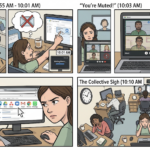
Thursday, 9:00 AM. You’re in the middle of your most productive deep-work block of the day. You’ve managed to fully concentrate on the strategy for your agency’s most important client. Suddenly, a notification interrupts your screen. It’s an email from the client:
“Hey, can we schedule a quick Zoom call today at 11 to see how things are going?”
You feel a knot in your stomach. You know exactly what that “quick call” means. It means you’ll have to stop your creative work, open a half-finished presentation, gather screenshots of what you’ve been doing, and lose an hour proving that, yes, you are working.
The irony is that you’re doing an excellent job. You’re on time, the design is great, and the strategy is solid. So why does the client keep interrupting? Why does it feel like they don’t trust you?
The short answer is that the problem isn’t you, your talent, or your work ethic. The problem is that you’ve placed your client inside the “Black Box” Effect.
In the world of B2B (Business to Business) services, understanding and eliminating this black box is the difference between having an anxious, micromanaging client and a loyal business partner who lets you work in peace.
What is the “Black Box” Effect in professional services?
In systems engineering, a “black box” is a device or system where you can see what goes in (input) and what comes out (output), but the internal workings are completely invisible. You have no idea how the transformation happens inside.
When you offer a B2B service without a transparent management platform, your company becomes a black box for your client.
- The Input: The client gives you money, trust, and access credentials.
- The Internal Process (The Black Box): You and your team work hard for weeks. You discuss in Slack, move cards in Trello, store files in Google Drive, and have brilliant brainstorming sessions.
- The Output: Weeks later, you deliver the finished project.
The problem lies in step 2. Because the client is completely blind to your internal process, their brain enters a state of Visibility Anxiety. For the client, silence does not mean “we’re working hard”; silence means “they forgot about my project.”
To relieve that anxiety, the client resorts to the only tool they know: demanding weekly status update meetings.
The High Cost of “Client Reassurance”
Accepting these weekly check-in meetings may seem harmless at first. After all, the client is paying, right? However, trying to illuminate the black box through video calls is an operational mistake that destroys your profitability.
1. The Preparation Tax
The call lasts 30 minutes, but the real time lost is much greater. Your team spends one or two hours “preparing the update”: building a report, gathering links, updating spreadsheets, and making everything look presentable on camera. That’s non-billable time stolen from actual execution.
2. The Illusion of Progress
Status meetings become corporate theater. The client nods as you show progress, but the meeting didn’t move the project forward a single inch. We confuse “talking about work” with “doing the work.”
3. Relationship Erosion
When the client feels they must chase you and constantly schedule calls to understand what’s happening, their perception of your brand declines. You stop being a high-level strategic partner and become a vendor that needs to be herded.
The Solution: The “Glass Box” Framework
If blindness creates anxiety and anxiety creates unnecessary meetings, the ultimate cure is Asynchronous Transparency. You must transform your process from a black box into a “glass box.”
The Glass Box Framework is built on one fundamental principle: the client should never need to ask how their project is going, because the answer should be available to them 24/7 in a shared, visual environment.
Here’s how to implement it and eliminate status meetings for good:
Step 1: The Shared Board as the “Single Source of Truth”
From day one, don’t send a static Excel timeline or PDF (which will be outdated the next day). Instead, give the client guest access to a dynamic Kanban board or Gantt chart.
On this board, the client should see clear columns: To Do, In Progress, In Client Review, Done.
When the client feels anxious at 10:00 PM on a Tuesday, they won’t message you. They’ll open the board, see that the “Homepage Design” card moved to “In Progress,” and go to sleep peacefully. You’ve eliminated anxiety without spending a minute of your time.
Step 2: Centralized Deliverables (Zero Lost Emails)
The glass box also applies to files. If you send deliverables via email, you create chaotic reply chains (“Change the color,” “Use version 2 instead”).
Educate your client: all deliverables are uploaded directly to task cards within the shared board. Feedback happens there. Context, files, and communication live in a single visible ecosystem.
Step 3: Automate the Messenger (Reminders & Notifications)
Instead of scheduling a meeting to say “We’ve finished phase 1, we need your approval”, let technology speak for you.
Set up asynchronous reminders. When your team moves a task to “Client Approval,” the system automatically notifies the client. The software becomes the messenger, keeping your team focused on execution—not chasing responses.
Repositioning the Video Call: From “Status” to “Strategy”
Implementing the Glass Box doesn’t mean you’ll never speak to your client again. It means you’ll elevate the quality of those conversations.
When you eliminate 80% of meetings that only exist for updates, you create space for strategic video calls.
When should you actually schedule a call?
- To resolve complex blockers
- To pivot strategy based on results
- To present outcomes or upsell new services
And when it’s time for that call, it shouldn’t be a surprise event. It should be managed through an Appointments system, where the client selects a time that respects your deep-work schedule.
How to Build Your Glass Box with GGyess WorkSuite
The biggest obstacle for agencies trying to be transparent is that their technology doesn’t support it. If you invite your client into your internal Asana or Jira, they’ll see internal chaos, other clients’ work, and sensitive information. That’s not a glass box—it’s a broken storefront. And if you rely on Calendly and Zoom, you’re still fragmenting the experience.
To implement this level of B2B professionalism, you need a platform designed to unify team execution and client experience. That’s why GGyess exists.
As it evolves into the ultimate WorkSuite, GGyess removes friction between you and your clients. No more multiple subscriptions—everything is controlled in one place:
- Dynamic & Secure Views: Create client-specific boards (Kanban, Gantt, or List). Your team collaborates internally, while the client sees only structured progress. The Black Box Effect disappears.
- Centralized Files & Context: Documents, revisions, and approvals happen directly inside GGyess tasks. Nothing gets lost in email black holes.
- Integrated Appointments: If a client truly needs to talk, send your GGyess booking link. They choose a time, and the platform handles the rest.
- Native Video Calls: No more hunting for Zoom links. Start calls directly inside the GGyess workspace. You and your client see the same board and make decisions in real time.
Don’t let client anxiety dictate your schedule or consume your margins. Give them the visibility they crave and take back control of your time.
Transform your agency, eliminate unnecessary status meetings, and deliver a world-class service. Start building your Glass Box today at https://ggyess.com.
Frequently Asked Questions (FAQ)
What is the “Black Box Effect” in client-agency relationships?
It’s a psychological phenomenon that occurs when clients lack visibility into project progress. Without seeing daily work or task advancement, clients experience anxiety and uncertainty, leading them to demand constant updates and meetings that disrupt productivity.
Why is a Kanban board better than a weekly update email?
An email is a static snapshot of the past. By the time it’s read, things may have changed. A Kanban board is a live, asynchronous ecosystem that lets clients check progress in real time whenever they want—eliminating the need for manual reporting.
How do video calls work inside a WorkSuite?
Unlike fragmented tools, an advanced WorkSuite like GGyess allows you to start a video call directly from the project board. Both parties can view tasks, files, and timelines simultaneously, enabling real-time decisions and documentation without leaving the platform.