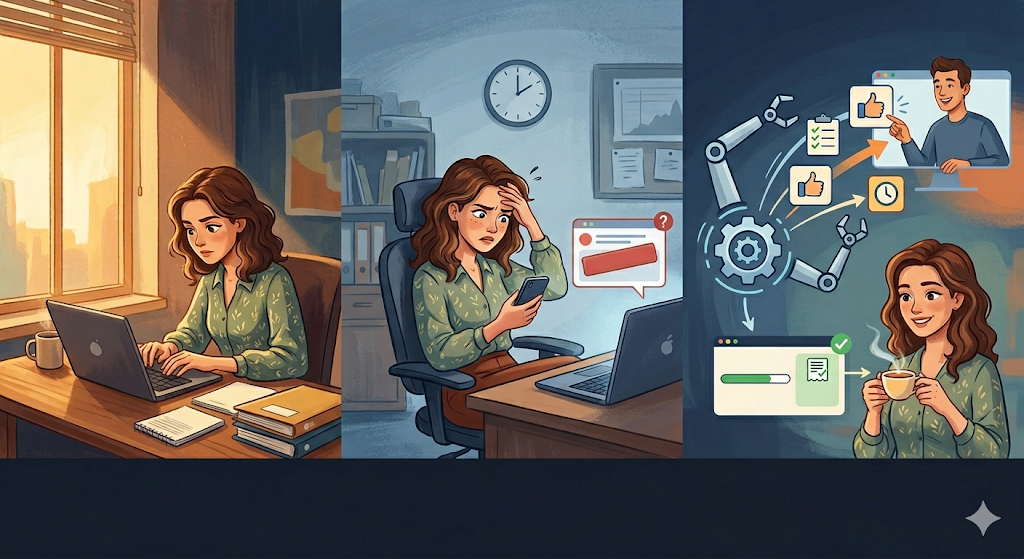
It’s Tuesday afternoon. You’ve finished the new campaign design, the website is coded, or the financial report is ready to deliver. You’ve done impeccable work. You only need one thing to move forward (or to issue your invoice): the client’s review and approval.
You open your email and start typing:
“Hi Carlos, hope you’re having a great week. Just following up on the files I sent last Thursday. Were you able to review them?”
You delete the last line. It sounds too pushy. You change it to: “I’ll be waiting for your feedback whenever you have a moment.”
You hit “Send,” but you’re left with an uneasy feeling. Two days later, Carlos still hasn’t replied. Now the situation is critical: the project is delayed and you can’t invoice. What do you do? Message him on WhatsApp? Call him?
This dance of avoidance is the daily reality in B2B (Business to Business) services. Asking a client to fulfill their part of the deal (whether it’s providing access, approving a milestone, or paying an invoice) is one of the most emotionally draining tasks in professional life.
But the problem isn’t that your client is irresponsible—the problem is that you’re using human effort to manage robotic processes.
In this article, we’ll explore how implementing automated asynchronous reminders can preserve your business relationships, eliminate operational friction, and ensure you get paid on time—without becoming the “bad cop.”
The Psychology of Follow-Ups (and Why They Destroy Trust)
To fix follow-ups, we first need to understand what happens in both minds when a reminder or payment email is sent.
When one human (you) reminds another human (your client) that they haven’t done their part, an uncomfortable power dynamic is triggered.
- The Provider (You): You feel the “Annoying Syndrome.” You worry that if you push too hard, the client will get upset, cancel the contract, or leave a bad review. So you soften your emails with passive-aggressive phrases like “just a gentle reminder.”
- The Client: Clients rarely delay out of malice—they’re busy putting out their own fires. When they receive your message, they feel guilt. And neurologically, guilt often leads to avoidance. They ignore the message, telling themselves they’ll reply later.
The WhatsApp Trap
In a desperate attempt to get faster responses, many agencies make a critical mistake: moving project management into WhatsApp or Slack.
Sending “Hey! Did you check the design?” at 7:00 PM to your client’s personal phone crosses a line. You blur personal and professional boundaries. Yes, you’ll get a quick reply—but at the cost of creating long-term stress. Eventually, your name on their phone becomes associated with anxiety and pending tasks.
The Solution: The Power of Asynchronous Reminders
If human interaction creates emotional friction in compliance tasks, the logical solution is removing the human from the follow-up process.
Enter the concept of the Asynchronous Reminder. This is an automated notification generated by project management software that alerts someone about an upcoming deadline or overdue task—without any human intervention.
The “Good Cop / Machine Cop” Effect
When you automate reminders, you fundamentally change the psychology of your client relationship.
You become the strategist, the creative partner, the trusted advisor. The system becomes the enforcer of timelines.
If a client receives an automated notification saying: “Task ‘Wireframe Approval’ is due in 24 hours,” they don’t feel attacked. They understand it’s part of a standardized process. The message is neutral, emotionless, and—most importantly—consistent.
You keep your hands clean and your relationship intact, while the system handles enforcement.
Framework for Frictionless Billing & Deliverables
To implement this effectively, you must educate your client from day one. Here’s a 3-step framework:
Step 1: Set Expectations with an SLA in the Kickoff
The mistake starts in the kickoff meeting. If you say “I’ll send it and you let me know what you think,” you’ve already lost control of timelines.
Instead, define rules:
“Carlos, to meet our launch date, we operate on 48-hour review cycles. I’ll upload deliverables to our shared board, and the system will notify you as deadlines approach. If no feedback is received, it will be marked as approved so we can continue.”
You’ve just established the system as the authority on time.
Step 2: Tie Deliverables to Tasks with Deadlines
Never send important files via email. They float without urgency or context.
Upload deliverables to a shared platform. Create a task like “Client Validation: Phase 1”, attach the file, assign it to the client, and set a strict due date.
The platform will automatically trigger asynchronous reminders (e.g., 24 hours before, and at deadline). The system—not your inbox—drives action.
Step 3: Link Billing to Visual Milestones
Billing is the most sensitive deliverable. Many freelancers hesitate to send invoices.
Instead, make billing a natural, visible step. In your project board or Gantt chart, include Milestones like:
“Milestone: 50% Midpoint Invoice.”
This task depends on approval of the previous phase. When the client approves, the system triggers the billing milestone. Payment becomes a logical next step—not an awkward request.
Operational Impact of Automated Follow-Ups
When agencies implement asynchronous reminders, three immediate benefits emerge:
- Faster Cash Flow: Projects don’t stall waiting for approvals, so you invoice and get paid faster.
- Elimination of “Ghost Work”: No more time wasted tracking clients, writing follow-ups, or updating spreadsheets.
- Premium Positioning: Clients respect structured, system-driven processes. It signals professionalism and authority.
Centralize Authority with GGyess WorkSuite
The theory is simple—but execution often fails due to fragmented tools. If your client doesn’t understand your system, or if you rely on complex automations, the experience breaks.
For the “Good Cop / Machine Cop” strategy to work, both you and your client must operate in the same intuitive environment. That’s the vision behind GGyess.
As the ultimate WorkSuite, GGyess removes friction at the root:
- Glass Box Collaboration: Shared workspaces where clients visually understand progress and dependencies.
- Contextual Deliverables: Files, feedback, and approvals live within tasks—not scattered across email.
- Native Smart Reminders: GGyess automatically tracks deadlines and notifies responsible parties. You focus on thinking; GGyess handles remembering.
- Integrated Appointments: If reminders aren’t enough and the client is stuck, the task itself signals the need for a call. Send your booking link, jump into an integrated video call, resolve the issue, and keep moving.
Don’t risk valuable relationships by forcing clients through administrative chaos—or drain your energy chasing approvals and payments manually.
Let software manage processes so you can lead the human relationship. Discover how to bill and deliver without friction today at https://ggyess.com.
Frequently Asked Questions (FAQ)
What is an asynchronous reminder in B2B management?
It’s an automated notification generated by software (like GGyess) that alerts users about deadlines, pending approvals, or payments—without requiring real-time human communication.
Why is WhatsApp a bad tool for client feedback?
Because it breaks professional boundaries and creates urgency pressure. Feedback gets lost easily, context disappears, and version control becomes chaotic.
How does a WorkSuite accelerate billing?
By linking billing to visible project milestones. When a client approves a phase, the system automatically triggers billing reminders, making payment a transparent and expected step—not an uncomfortable request.