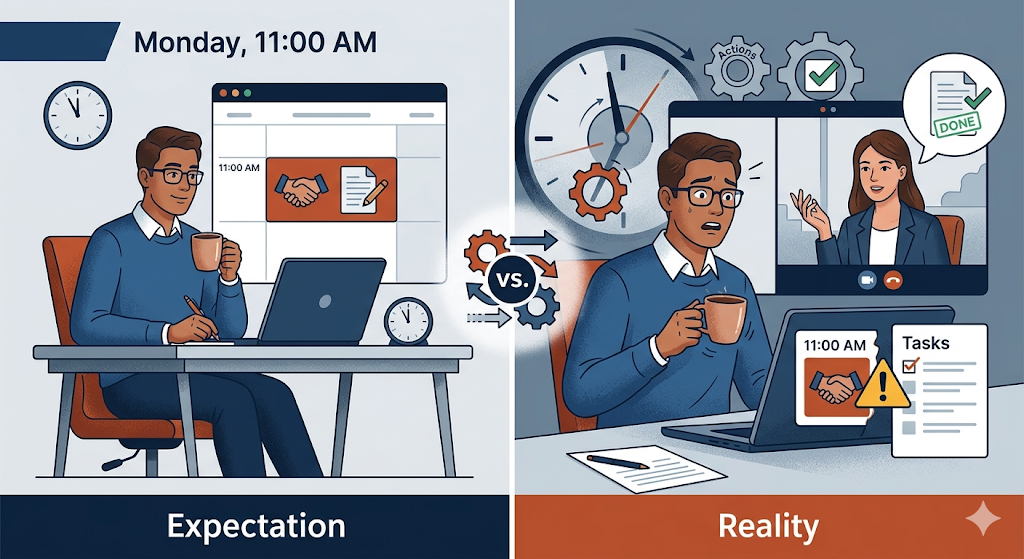
Monday, 11:00 AM. Your calendar notifies you that you have a meeting with an important client. The event title simply says: “Commercial Proposal Review.”
You join the video call with your coffee in hand, ready to hear their ideas, take notes, and start working on the document. But as soon as the client turns on their camera, they hit you with the dreaded question: “Hi, can you share your screen so I can see how the proposal turned out?”
Awkward silence. You thought the meeting was to plan the proposal. They thought the meeting was the deadline to deliver it.
This collision of expectations didn’t happen because someone is incompetent. It happened due to a fundamental operational mistake that destroys B2B relationships every day: confusing what an appointment is with what a task is.
In today’s business ecosystem—where we juggle scheduling tools, project managers, and chat apps—the line between “time” and “action” has blurred. Understanding this difference and structuring it correctly in your workflow is the key to retaining clients and scaling your operations without losing your sanity.
The Anatomy of Chaos: Time vs. Action
To solve the problem, we need to define both concepts clearly. The human brain processes them very differently—and when your software doesn’t respect that difference, friction appears.
1. An Appointment (Synchronous Event)
- What it is: A reserved block of time in the calendar requiring the simultaneous presence of two or more people.
- Its purpose: Real-time idea exchange, quick decision-making, conflict resolution, or relationship building.
- Common mistake: Using it to “work” or review things that could have been read asynchronously.
2. A Task (Asynchronous Event)
- What it is: An actionable unit of work with a single owner, a clear description, and a deadline.
- Its purpose: Execution, production, and delivery of value.
- Common mistake: Assigning a complex task without scheduling a prior appointment to provide context.
When you try to use a calendar to manage tasks—or a task manager to schedule meetings—you break the communication chain.
The 3 Operational Mistakes That Break Communication
If your team or agency experiences client complaints, chronic delays, or projects stuck in limbo, you’re likely making one of these mistakes:
Mistake 1: Calendar Hijacking (Using Meetings as Deadlines)
This is a favorite among impatient clients and managers. It involves sending a calendar invite (e.g., Friday at 4:00 PM) titled “Final Deliverable.”
Why it kills productivity: A calendar event blocks your time during that slot but doesn’t give you time to do the work before it. Calendars also lack proper spaces for file attachments, version control, or task reassignment. This creates anxiety—your team feels like the meeting is an “exam,” not a checkpoint.
Mistake 2: The “Contextless Task”
This happens when someone creates a task in a tool like Trello or Asana that simply says: “Build annual strategy” and assigns it with a deadline.
Why it breaks communication: A task of that magnitude requires alignment. Without a prior kickoff appointment to define goals, budget, and expectations, the result will almost always miss the mark—and require rework.
Mistake 3: Tech Stack Friction (Platform Hopping)
This is the silent killer of Customer Experience. A prospect wants to work with you. You send a scheduling link (like Calendly). You meet on Zoom. Then you manually create tasks in your project manager, and finally send a follow-up email.
Why it costs you money: Every time information jumps between platforms, there’s a margin of error. Links get lost, notes aren’t transferred properly, reminders are forgotten. To the client, your process feels fragmented and unprofessional.
The Synchronization Framework: Aligning Appointments and Tasks
To project professionalism and ensure smooth execution, implement this golden rule:
Every Appointment generates Tasks, and every complex Task requires an Appointment.
Here’s how to apply it:
1. The Onboarding Trigger Rule
When a client schedules an appointment, it shouldn’t live as an isolated calendar event. That action should automatically trigger the creation of a project workspace. By the time the meeting starts, the structure already exists.
2. Separate the Execution Board from the Meeting
Educate your clients early:
- “If you need something executed, create a Task with a deadline.”
- “If you need to discuss strategy or solve a problem, schedule an Appointment.”
This simple boundary can save hundreds of hours.
3. Asynchronous Reminders vs. Status Meetings
Status meetings are often unnecessary. Replace them with automated reminders tied to task deadlines. If a task is due Friday, the system should remind the owner on Thursday. Reserve meetings for solving blockers—not for asking “How’s it going?”
Evolve How You Work: One Unified Ecosystem
Historically, software forced us to separate time from work. Your calendar lived in one place, your tasks in another. Connecting them required complex integrations or manual effort.
That’s no longer necessary.
With the latest update of GGyess, the gap between time and action disappears by integrating Appointments, Smart Reminders, and Video Calls directly into a single WorkSuite.
What does this mean for your workflow?
- Integrated Appointments: When someone books a meeting, it’s automatically tied to your workspace—not lost in a separate calendar.
- Contextual Video Calls: Start calls directly from your project board, with tasks and files visible in real time.
- From conversation to action: Turn meeting decisions into tasks instantly, complete with deadlines and automated reminders.
Stop letting poor tooling sabotage your client relationships. Stop jumping between apps trying to connect what was said with what needs to be done.
Unify your communication, meetings, and projects in one place. Discover a better way to work at ggyess.com.
Frequently Asked Questions (FAQ)
What’s the main difference between a task and an appointment?
An appointment is synchronous—it requires people to be present at the same time. A task is asynchronous—it has an owner and a deadline, but execution happens independently.
Why is it bad practice to use a calendar to assign work?
Because calendars manage availability—not workflows. They don’t support subtasks, progress tracking, or structured communication, leading to lost information.
How do automated reminders improve client relationships?
They reduce the need for micromanagement or awkward follow-ups. Tasks move forward in a professional, system-driven way—improving delivery speed (Time-to-Value) without damaging relationships.