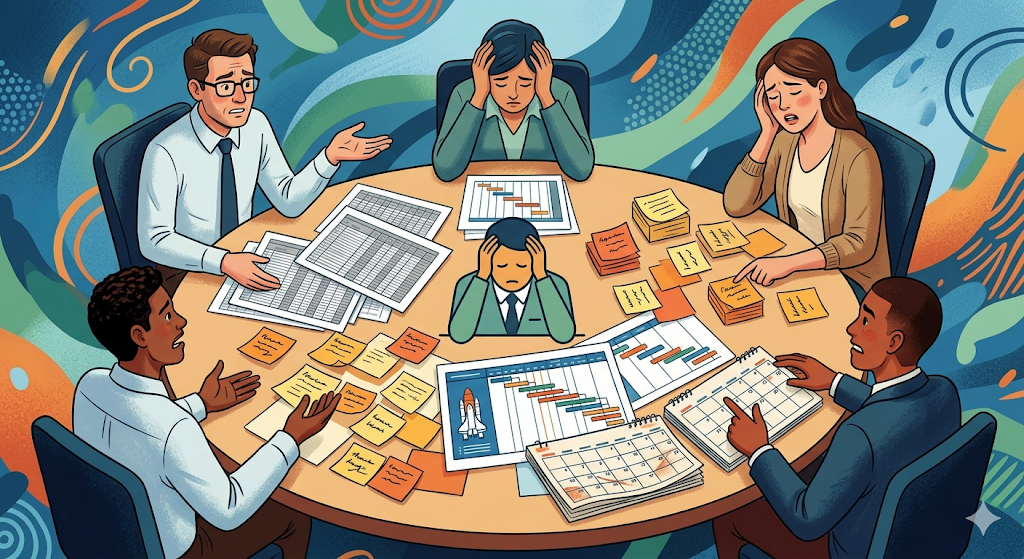
Imagine the following scene: you’re in the middle of a status meeting. The clock keeps ticking, the coffee gets cold, and you ask the most feared question in the business world: “Guys, how are we doing with the project?”
The finance director opens an endless spreadsheet full of microscopic cells. The graphic designer shows you a list of tasks written on sticky notes. The operations manager pulls out a timeline diagram that looks like the blueprint of a space shuttle, and the marketing lead simply tells you: “I have everything written down in my planner for Friday.”
Everyone is working on the same project, but it feels like they’re speaking completely different languages. The result is frustration, misalignment, and that constant feeling that something important is slipping through the cracks.
Why does this happen? Because trying to make an entire multidisciplinary team understand a project using a single format is like asking five people with different vision problems to wear the same pair of glasses.
If you use reading glasses to drive a car on the highway, you’re going to crash. If you use long-distance binoculars to read a book, you’ll end up with a terrible headache. In collaborative work management, the same thing happens: there is no perfect view, only the right lenses for the right moment.
Today we’re going to give you an organizational eye exam. We’ll explore how the most popular visual methodologies work (Kanban, Gantt, Calendar, and Table) and how to choose the right lens so your team can stop squinting and start seeing success with total clarity.
The “One-Size-Fits-All” Trap in Collaborative Work
Before prescribing the lenses, we need to understand the core problem. Most companies make a fatal mistake: they buy a rigid tool and force everyone to use it.
If the CEO loves complex diagrams, they force creatives to fill out timelines they hate. If the design lead loves simple visual boards, the data team is forced to lose the level of detail they need. When you force professionals to use a “lens” that doesn’t match how they process information, two things happen.
Administrative friction: people spend more time updating the tool than doing real work.
Shadow IT: team members abandon the official tool and keep their own secret systems in notebooks or Excel sheets, breaking team communication.
The key to modern productivity is not making everyone look at the same format. The key is making sure everyone looks at the same information, but through the format their brain processes best.
Lens 1: The Kanban Board (Your Reading Glasses)
What is it?
The Kanban system was born in Toyota factories in Japan. Visually, it’s a board divided into columns that represent the workflow. The most basic version is To Do, In Progress, and Done. Each task is a card that moves from left to right.
The analogy:
These are your reading glasses. They help you focus on what is directly in front of you. They don’t show you what will happen six months from now; they show you what you need to do today.
What is it useful for and who loves it?
Kanban is the undisputed king of workflow and agility. It’s perfect for teams that handle a constant volume of daily tasks, such as content creators, software developers, support teams, or HR departments.
Kanban’s superpower is identifying bottlenecks. If you see that the To Do column is empty but the In Review column has 45 cards piled up, you don’t need a management degree to know that the person responsible for approvals is overwhelmed.
Use it when:
You need immediate clarity, want to know what each person is working on today, and enjoy that satisfying dopamine hit of dragging a card into the Done column.
Avoid it when:
You have a project with strict long-term deadlines and tasks that depend on each other. Kanban won’t tell you whether you’re on track for a December launch; it will only tell you what you’re doing today.
Lens 2: The Gantt Chart (Your Strategic Binoculars)
What is it?
A Gantt chart is a horizontal timeline. It displays tasks as progress bars across days, weeks, or months. It also connects tasks with arrows to show dependencies (Task B cannot start until Task A is finished).
The analogy:
These are your binoculars or the view from a drone. They’re not useful for reading the details of an email, but they’re essential for seeing the horizon, planning the route, and making sure your team isn’t heading toward a cliff.
What is it useful for and who loves it?
Gantt charts are the best friend of project managers, event organizers, architects, and product launch leaders.
Imagine you’re organizing a large event. You can’t send invitations (Task C) if you don’t have the design (Task B), and you can’t have the design if you haven’t rented the venue (Task A). A Gantt chart lets you chain these tasks together. If the venue rental is delayed by three days, the Gantt automatically pushes the entire project forward, showing the real impact of the delay.
Use it when:
You need long-term planning, want to visualize how tasks overlap, manage resources over time, and ensure final deadlines are met.
Avoid it when:
Your team needs agility for day-to-day work. Opening a massive Gantt chart just to see which Instagram post should be published today is overwhelming and demotivating.
Lens 3: The Calendar (Your Sunglasses for Daily Work)
What is it?
A view everyone has known since school days: a visual map of days, weeks, and months where tasks are placed on the exact date they must be delivered or executed.
The analogy:
These are your sunglasses. They protect you from the glare of information overload and allow you to move through your daily work comfortably, knowing exactly what the workload looks like today.
What is it useful for and who loves it?
The calendar is the universal language of time. While Gantt is strategic and Kanban is process-based, the calendar is purely tactical and date-driven.
It’s the favorite tool of social media managers, PR teams, executive assistants, and content creators. If you have a marketing plan with fixed deliverables (a Mother’s Day post, a Black Friday promotion launch), the calendar becomes your safety net.
Use it when:
Deadlines are absolute. It’s ideal for scheduling meetings, events, publications, or monthly accounting deadlines. It also helps you quickly see if next Tuesday is overloaded with deliverables.
Avoid it when:
Tasks don’t have clear dates or are ongoing processes that take weeks. A bar crossing 15 days on a calendar is often less intuitive than seeing it simply in the In Progress column of a Kanban board.
Lens 4: The Table or List (Your Data Microscope)
What is it?
A structured view with rows and columns, similar to a supercharged spreadsheet. You can see the task name, assignee, due date, priority, status, and other variables in a dense and organized format.
The analogy:
This is your microscope. When you need to dissect the work, group complex variables, and analyze raw data without visual distractions, this is the lens you should use.
What is it useful for and who loves it?
The table view is paradise for analytical profiles: accountants, data analysts, inventory managers, and auditors.
When you have hundreds of tasks in a project, a Kanban board can look chaotic. But in a table, you can perform powerful filtering. With two clicks you can say: “Show me only high-priority tasks assigned to Carlos that are overdue and belong to the Sales department.”
It’s the best view for quick audits and data-driven decisions.
Use it when:
You manage large databases of tasks, need to group information by multiple criteria, or are reorganizing work at scale.
Avoid it when:
You want to inspire a creative team or present a quick executive overview. Highly visual thinkers often disconnect after staring at a dense data table for a few seconds.
The Secret of an Unstoppable Team: Integrated Optics
At this point the natural question is: “So which lens should I choose for my company?”
The answer—and this is where most companies fail—is you shouldn’t choose just one.
Modern collaborative work doesn’t require sacrificing long-term control (Gantt) to gain daily agility (Kanban). What your team truly needs is a single source of truth: a centralized place where the task lives, while allowing each person to view it through the lens that works best for them.
Imagine the perfect flow.
The Project Director plans the entire year using the Gantt view, connecting dependencies and defining the roadmap.
That same information instantly flows to the creative team, who open their computers and see a clean Kanban board with the tasks they need to complete today.
When they move a card to Done, the Social Media Manager automatically sees the task appear on their Calendar scheduled for publication on Thursday.
At the end of the month, the Operations Manager opens the Table view, filters completed tasks, and calculates productivity metrics.
Nobody was forced to use an uncomfortable format. Everyone saw the same information, but through their own lenses.
Change Your Lenses With One Click in GGyess
If you’ve been jumping between Excel files, note-taking apps, physical whiteboards, and manually updated timelines, you already know how exhausting it is to act as the ophthalmologist for your team. Digital chaos drains the energy you should be investing in growing your business.
This is exactly where GGyess comes in.
GGyess was designed with the understanding that every brilliant mind on your team works differently. Instead of forcing you to adapt to a rigid platform, GGyess adapts to how you think.
Inside the platform, every project centralizes its information intelligently. From there, you can switch views with a single click at the top of the screen: Kanban board, Gantt timeline, interactive Calendar, or detailed data Table.
If a meeting date changes and you move it in the Calendar, the timeline automatically adjusts in the Gantt view and updates across the entire team board in real time. There’s no need to synchronize external tools, no information loss, and most importantly, no friction.
And with the power of Artificial Intelligence built into GGyess, you don’t even have to structure everything yourself. You can simply describe your project in natural language, and the AI will generate the tasks, assign responsibilities, and suggest deadlines so you can focus on choosing the lens you need to supervise success.
Don’t force your team to work blindly or wear borrowed glasses. Give them the freedom to visualize progress clearly, stay fully synchronized, and transform chaos into structured progress.
It’s time to see your work with the clarity it deserves.
It’s time to organize your projects with GGyess.