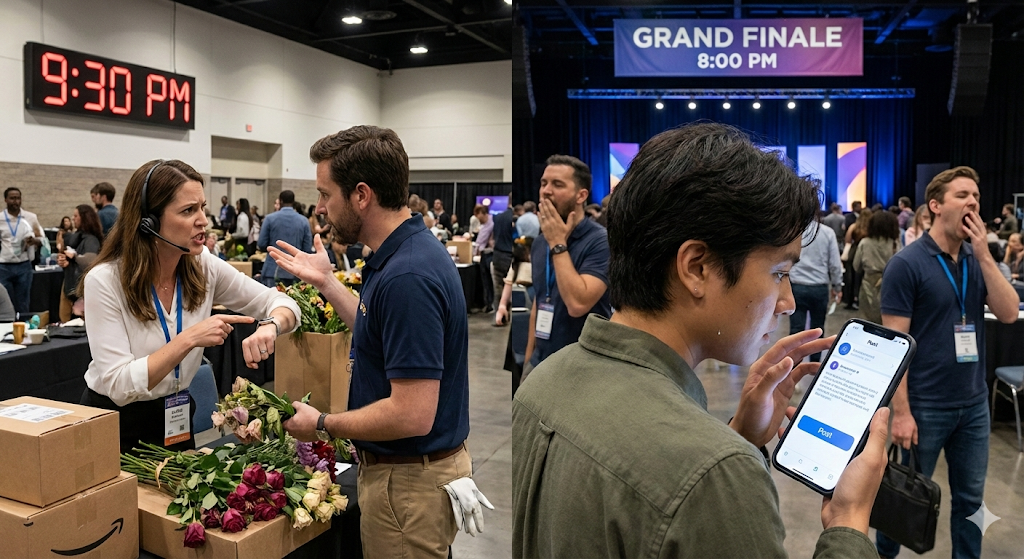
It is Sunday, January 25, 2026. You are in the middle of the most important event of the month.
In one corner of the hall, your Logistics Coordinator is fighting with a flower vendor who arrived late. In the other corner, your Community Manager is trying to guess if it’s a good time to upload the Toast Story or if they should wait.
The result is the classic “Event Lag”:
- The magic moment happens at 8:00 PM.
- The photo goes up at 9:30 PM.
- By then, the social media audience has gone to sleep, and the viral impact is lost.
Most event planners (from weddings to corporate conferences) operate with two separate brains:
- The Logistic Brain: A physical binder with the “Run of Show” or a printed Excel sheet.
- The Social Brain: A WhatsApp group full of blurry photos and audio notes screaming “Do I post this now?”
In 2026, the demand is immediacy. Clients pay for events that look incredible live and spectacular on Instagram at the same time.
Today I will teach you how to use GGyess MasterSuite to fuse those two brains and run your event like a live television broadcast.
The Digital “Run of Show” (Goodbye Clipboard)
The first step to eliminating chaos is throwing that old binder in the trash. Your schedule needs to be alive. In GGyess WorkSuite, you configure the event not as a to-do list, but as a Timeline (Gantt). Each key moment is a task with a specific time:
- 18:00 – Guest Arrival / Welcome Cocktail.
- 19:30 – Keynote Speech.
- 21:00 – Dinner.
Thanks to the GGyess Mobile App, your entire team (from the head waiter to the photographer) has this schedule in their pocket. If the speech is delayed 15 minutes, you move the bar on the Gantt chart from your mobile, and everyone receives the schedule change notification instantly. No more running around notifying table by table.
The Bridge: From Photographer to Community Manager in Seconds
This is where GGyess justifies its investment in the very first event. Imagine this workflow with the MasterSuite:
- Capture: The photographer takes the perfect photo of the decor before the guests enter.
- Centralized Upload: Instead of sending it via WhatsApp (where quality is lost), they enter the GGyess App, go to the “18:00 – Decor” Task in WorkSuite, and attach the high-resolution photo right there.
- Immediate Action: Your Community Manager receives an alert: “New file in Decor.”
- Publication: From the same app, they move that photo to the SocialSuite, apply a pre-saved brand filter, generate an emotional copy with AI (“Details that enchant…”), and publish.
Total time: 2 minutes. Quality: 4K. Coordination: Absolute.
Automate the Predictable, Focus on the Unpredictable
An event has a thousand variables. You shouldn’t be worried about the “Welcome” post at 9 AM. Smart planners use GGyess Advance Scheduling for all “cold” content:
- Sponsor thank you posts.
- Arrival instructions / map.
- Speaker profiles.
All of this is left scheduled in the SocialSuite Visual Calendar days before. That way, on the day of the event, your CM has their hands free to capture the only thing that can’t be scheduled: the emotion of the moment.
Client Approval (No Stress on D-Day)
Do you work with nervous brides or demanding marketing directors? The last thing you want is for them to yell at you in the middle of the event because they didn’t like the font on a Story.
With GGyess, you use the days leading up to the event for Pre-Approval. You create a visual board with the “Graphic Styles” and “Story Templates” you will use. You invite the client as a Guest to that board. They give their Green Light days before. On the day of the event, you execute with confidence, knowing the style is already validated. If the client asks, you show them their own approval in the app. It is your shield against complaints.
Centralize Your Vendors
A big event implies: florist, DJ, catering, security, streaming. How do you communicate with them? Instead of having 5 different email threads, create a Team in GGyess WorkSuite for each event. Assign specific tasks to external vendors:
- To the DJ: Task “Upload Final Playlist” (Deadline: Thursday).
- To Catering: Task “Confirm Allergy Menu” (Deadline: Friday).
They don’t need to see your finances or your social media. They only see their tasks. But you see the Status Traffic Light of the entire event on a single screen. If the DJ hasn’t uploaded the list, the task shows up in red. You detect it before it becomes a problem.
Profitability: Stop Paying the “Wedding Tax” on Software
Specialized event software (like Aisle Planner or HoneyBook) is excellent, but often costs over $40-$80 a month just for management. And then you have to pay for social media tools separately. If you are an independent planner or a small agency, those costs hurt.
GGyess MasterSuite offers you project management (lists, timelines, files) and social media management for $9.99/mo. You are getting 90% of the functionality of niche tools, plus all the marketing power, for 10% of the price.
Conclusion: Sell “Peace of Mind,” Not Just “Events”
In 2026, anyone can hire catering and play music. What differentiates you as a professional is response capability and brand consistency.
When a client sees you pull out your phone, move a task in GGyess, and 30 seconds later, the entire team changes course in coordination, you aren’t just organizing an event. You are justifying your fees.
Leave the walkie-talkie and paper in the past. Run your next event with the precision of an app.
Try GGyess free for your next event and feel total control