
Introduction
Feeling overwhelmed is a common challenge in today’s fast-paced world. With endless to-do lists, looming deadlines, personal commitments, and social obligations, it’s easy to feel like you’re drowning in tasks. But here’s the truth: being busy isn’t the same as being productive. The key is learning how to step back, assess the situation, and implement strategies that help you regain control.
In this guide, we’ll dive into practical, actionable steps to organize your workload, prioritize effectively, and move forward with confidence—all while avoiding burnout.

Step 1: Pause and Reset
The first step to overcoming overwhelm is to pause. When faced with a mountain of tasks, your initial instinct might be to dive in and tackle as many as possible. However, jumping in without a clear plan can lead to wasted effort, frustration, and mental fatigue.
Taking a moment to reset your mindset is not about procrastination—it’s about creating space to think clearly. By doing so, you can make deliberate and thoughtful decisions about where to focus your energy.
Why This Matters
Pausing helps calm your racing thoughts and reduces the anxiety that comes with feeling overloaded. It’s like hitting a mental “refresh” button, allowing you to approach your workload with clarity and determination.
How to Do It
- Find a quiet space where you can sit uninterrupted.
- Close your eyes, take three deep breaths, and focus on the present moment.
- Jot down any immediate worries or pressing thoughts on paper to clear mental clutter.
- Remind yourself that feeling overwhelmed is temporary and solvable.

Step 2: Perform a Brain Dump
After resetting, it’s time to offload everything on your mind. This technique, known as a brain dump, involves writing down all your tasks, ideas, and responsibilities in one place.
Why a Brain Dump Is Effective
Your brain isn’t designed to store and juggle countless tasks simultaneously. By externalizing your thoughts, you reduce cognitive load and create a clear picture of what needs to be addressed.
Steps for a Successful Brain Dump
- Grab a notebook, open a digital tool like GGyess, or use a whiteboard.
- Write down every task, obligation, or idea—no matter how big or small.
- Avoid organizing or filtering at this stage. The goal is simply to declutter your mind.
Here’s an example of how your brain dump might look:
| Personal | Work | Other |
|---|---|---|
| Buy groceries | Finish project report | Call plumber |
| Schedule doctor’s appointment | Respond to client emails | Renew gym membership |
| Plan weekend getaway | Prepare presentation slides | Pick up dry cleaning |
Step 3: Categorize and Prioritize
Once you’ve emptied your mind, the next step is to bring order to the chaos by categorizing and prioritizing your tasks. Not all tasks are created equal—some are urgent, while others can wait.
Use the Eisenhower Matrix
The Eisenhower Matrix is a powerful tool that helps you determine what to tackle first based on urgency and importance.
| Category | Description | Action |
|---|---|---|
| Urgent and Important | Critical tasks that require immediate attention. | Do it now. |
| Important, Not Urgent | Tasks that are valuable but can be scheduled for later. | Plan and schedule them. |
| Urgent, Not Important | Tasks that demand attention but don’t significantly impact goals. | Delegate or outsource. |
| Neither | Tasks that are neither urgent nor important. | Eliminate or postpone. |
Practical Example
| Task | Category | Action |
|---|---|---|
| Submit project report (due tomorrow) | Urgent and Important | Do it now. |
| Plan social media strategy for next month | Important, Not Urgent | Schedule for later. |
| Reply to non-critical messages | Urgent, Not Important | Delegate. |
| Scroll through social media | Neither | Eliminate. |
Step 4: Break Down Large Tasks
One of the most overwhelming aspects of managing a heavy workload is dealing with large, complex tasks. These “monsters” often feel intimidating because they lack clear starting points. Breaking them into smaller, manageable steps can make a world of difference.
The Power of Micro-Steps
Instead of tackling a large task in one go, divide it into actionable steps. For example, if your goal is to “Create a marketing campaign,” break it down into:
- Research audience demographics.
- Brainstorm campaign ideas.
- Draft initial content.
- Review and refine.
- Schedule campaign launch.
By focusing on one small step at a time, you’ll build momentum and reduce the mental barrier to starting.

Practical Table: Breaking Down Tasks
| Task | Step 1 | Step 2 | Step 3 |
|---|---|---|---|
| Write a blog post | Research topic | Create outline | Draft introduction |
| Organize an event | Select venue | Send invitations | Arrange catering |
| Clean the house | Tidy living room | Vacuum floors | Clean windows |
Step 5: Implement Time-Blocking
Time-blocking is a productivity technique that involves scheduling specific blocks of time for different tasks. This approach minimizes distractions and helps you stay focused on the task at hand.
Steps to Time-Block Your Day
- Look at your categorized and prioritized task list.
- Assign specific time slots to each task.
- Be realistic about how long each task will take—avoid overloading your schedule.
Sample Time-Blocked Day
| Time | Task |
|---|---|
| 8:00–9:00 AM | Respond to emails and messages. |
| 9:00–11:00 AM | Work on high-priority project. |
| 11:00–11:30 AM | Take a break (walk, coffee, etc.). |
| 11:30 AM–12:30 PM | Review marketing analytics. |
Step 6: Use Tools to Stay Organized
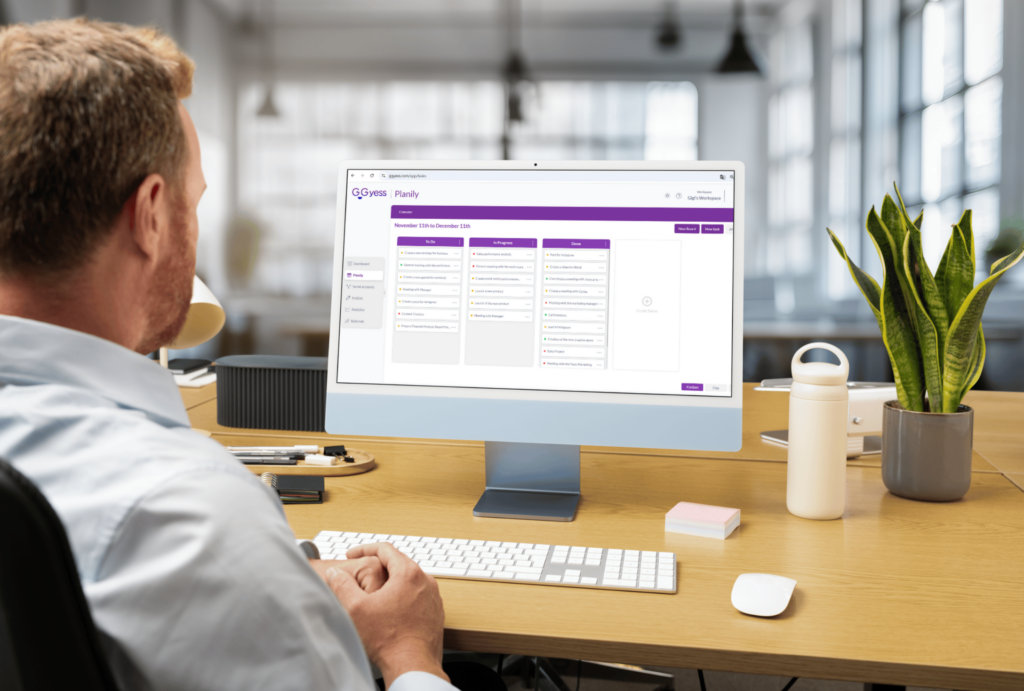
Keeping track of everything manually can be exhausting and counterproductive. Productivity tools are designed to simplify the process, helping you organize tasks, set reminders, and monitor progress.
Top Tools to Consider
| Tool | Purpose | Why Use It |
|---|---|---|
| GGyess | Social media scheduling and analytics. | Ideal for managing multiple accounts seamlessly. |
| Trello | Task management with visual boards. | Great for collaboration and project tracking. |
| Google Calendar | Time-blocking and reminders. | Easy integration with other tools. |
| Evernote | Note-taking and idea organization. | Perfect for jotting down thoughts on the go. |
By integrating these tools into your routine, you’ll save time, reduce errors, and maintain better focus on what truly matters.
Step 7: Learn to Delegate
Delegation is often overlooked but can be a game-changer for managing an overwhelming workload. Remember, you don’t have to do everything yourself.
How to Delegate Effectively
- Identify Tasks to Delegate: Start by pinpointing tasks that don’t require your direct input but are still important.
- Choose the Right Person: Match the task to someone with the skills and bandwidth to handle it effectively.
- Set Clear Expectations: Outline what needs to be done, by when, and any specific requirements.
- Provide Resources: Equip your team with the tools and information they need to succeed.
- Trust the Process: Avoid micromanaging—delegation works best when you empower others.
Tasks You Can Delegate
| Category | Task Example |
|---|---|
| Social Media | Scheduling posts, responding to comments. |
| Administrative Work | Data entry, invoice preparation. |
| Content Creation | Writing blogs, designing visuals. |
Step 8: Embrace the Power of Saying “No”
One of the most important skills for managing an overwhelming workload is learning to say “no” when necessary. Saying yes to everything often leads to overcommitment and poor results.
When to Say No
- When a task doesn’t align with your goals.
- When your schedule is already packed.
- When someone else can handle the task more efficiently.
How to Say No Politely
- Be Direct Yet Courteous: “I appreciate you thinking of me, but I’m currently at capacity.”
- Offer Alternatives: “I’m unable to take this on, but I recommend asking [Name] who specializes in this area.”
- Set Boundaries: “I’d love to help, but I need to focus on my current priorities right now.”

Step 9: Take Regular Breaks
It’s tempting to power through your workload without stopping, but this often leads to diminishing returns. Regular breaks refresh your mind and prevent burnout, helping you work smarter, not harder.
The Pomodoro Technique
This time-management method involves working for 25 minutes, then taking a 5-minute break. After four cycles, take a longer break (15-30 minutes).
| Cycle | Work Duration | Break Duration |
|---|---|---|
| Pomodoro 1 | 25 minutes | 5 minutes |
| Pomodoro 2 | 25 minutes | 5 minutes |
| Pomodoro 3 | 25 minutes | 5 minutes |
| Pomodoro 4 | 25 minutes | 15-30 minutes |
Step 10: Reflect and Adjust
After implementing the above steps, it’s essential to reflect on what’s working and what isn’t. Regular self-assessment helps you fine-tune your approach and avoid falling back into old habits.
Questions to Ask Yourself
- Did I complete my high-priority tasks today?
- Were there any distractions that I can minimize tomorrow?
- Do I feel more in control of my workload?
Track Your Progress
Use tools like GGyess to analyze patterns and identify areas where you can improve. Whether it’s planning your social media posts or organizing tasks, tracking your efforts ensures you stay on top of everything.
Step 11: Automate Where Possible
Automation is your best friend when it comes to repetitive or time-consuming tasks. By letting technology handle the mundane, you can focus on tasks that require creativity and strategic thinking.
Areas to Automate
- Social Media Management: Use tools like GGyess to schedule posts, monitor engagement, and analyze performance across platforms.
- Email Marketing: Automate welcome sequences, follow-ups, and promotional campaigns using email marketing tools.
- Task Reminders: Set automated reminders for deadlines and meetings through tools like Google Calendar.
- Data Collection and Reporting: Use analytics tools to generate reports without manual input.

Benefits of Automation
- Saves time by reducing manual effort.
- Minimizes human errors.
- Ensures consistency in workflows.
| Task | Automation Tool | Time Saved |
|---|---|---|
| Social media scheduling | GGyess | 3-5 hours per week |
| Email campaigns | Mailchimp | 2-4 hours per campaign |
| Invoice generation | QuickBooks | 1-2 hours per week |
Step 12: Eliminate Time-Wasters
Distractions are the enemy of productivity. Identifying and eliminating time-wasting activities is essential for staying focused on what truly matters.
Common Time-Wasters
- Social Media Scrolling: Limit your time on non-work-related browsing.
- Unnecessary Meetings: Only attend meetings with a clear agenda and purpose.
- Multitasking: Focus on one task at a time for better efficiency.
How to Eliminate Them
- Set Boundaries: Establish specific times for checking emails or social media.
- Use Website Blockers: Apps like Freedom or Focus can block distracting sites during work hours.
- Batch Tasks: Group similar tasks together to complete them more efficiently.

Step 13: Reward Yourself
Staying motivated is easier when you have something to look forward to. Rewarding yourself after completing tasks reinforces positive habits and makes work more enjoyable.
Types of Rewards
- Small Rewards: Take a coffee break or listen to your favorite song after finishing a task.
- Medium Rewards: Treat yourself to a nice meal or a short walk after completing a big project.
- Big Rewards: Plan a weekend getaway or buy something you’ve been eyeing once you’ve reached a major milestone.
Incorporate Rewards into Your Schedule
For example, after completing your weekly social media calendar using GGyess, you could take a relaxing break to recharge.
Step 14: Build a Sustainable Routine
Finally, it’s essential to create a routine that keeps you productive without overwhelming you. A sustainable routine includes work, rest, and time for self-care.
Elements of a Balanced Routine
- Morning Ritual: Start your day with a healthy breakfast, light exercise, and a clear plan for the day.
- Work Blocks: Dedicate uninterrupted time to high-priority tasks.
- Breaks: Incorporate short breaks throughout the day to recharge.
- Evening Wind-Down: Reflect on your achievements and prepare for tomorrow.
Sample Daily Routine
| Time | Activity |
|---|---|
| 7:00–8:00 AM | Morning routine (breakfast, exercise) |
| 8:00–10:00 AM | High-priority work block |
| 10:00–10:15 AM | Short break |
| 10:15–12:30 PM | Work on secondary tasks |
| 12:30–1:30 PM | Lunch and relaxation |
| 1:30–3:30 PM | Focused work block |
| 3:30–3:45 PM | Break |
| 3:45–5:00 PM | Wrap up and review |
Conclusion
Managing an overwhelming workload isn’t about doing everything at once—it’s about doing the right things at the right time. By following these steps, using tools like GGyess for organization, and maintaining a balanced routine, you can tackle your tasks with clarity and confidence.
Remember, productivity is a journey, not a race. Take it one step at a time, and soon, you’ll find yourself not only managing your workload but thriving in it.